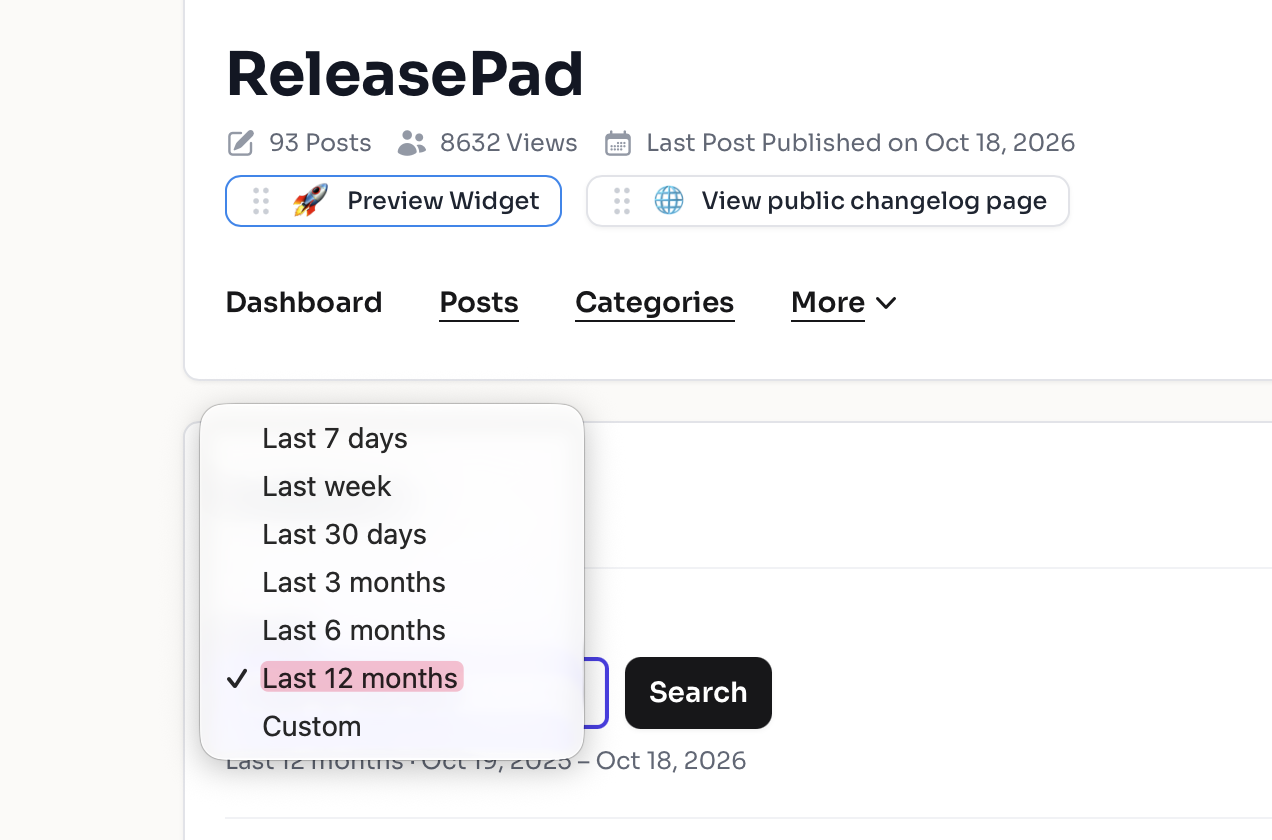
📊 See Your Dashboard Data for Any Time Period.

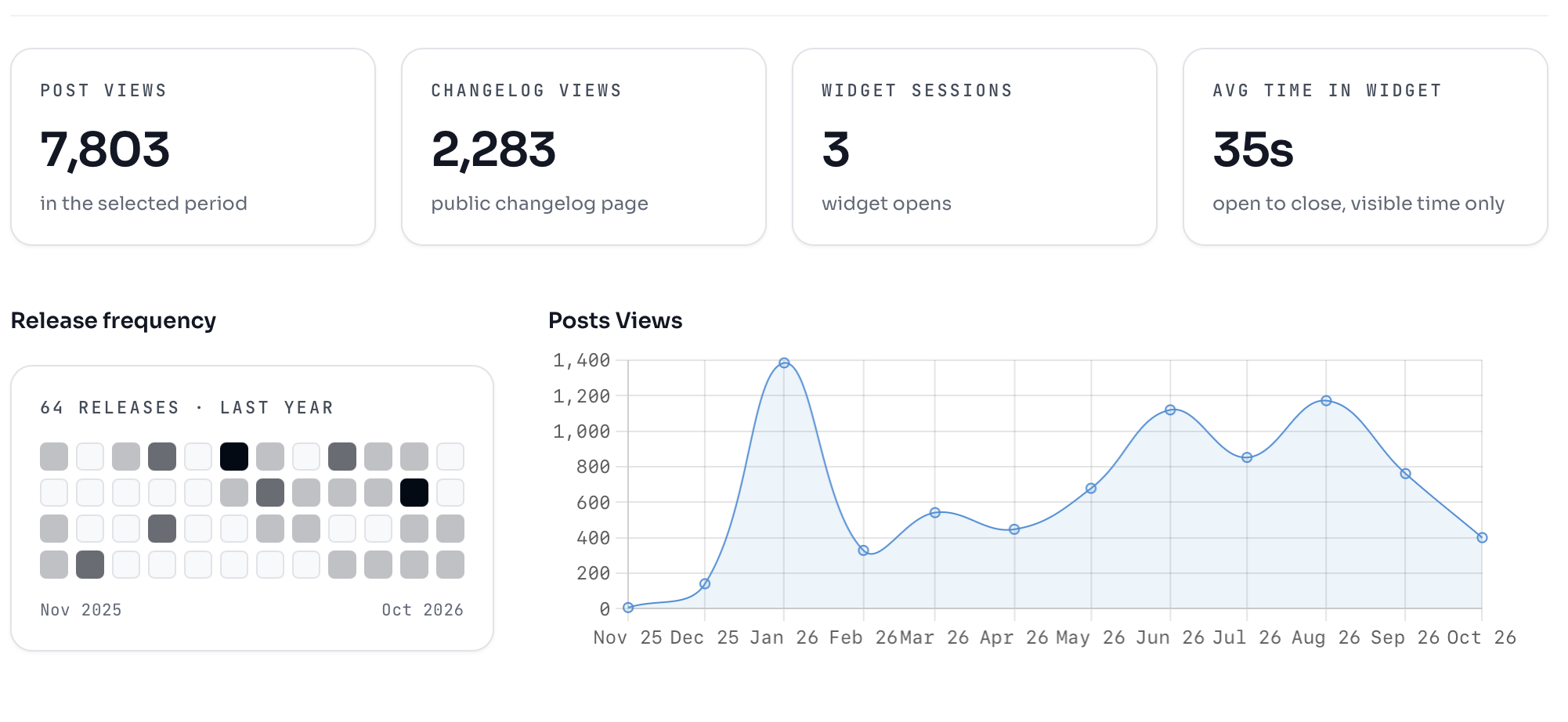
Your dashboard now includes custom date selectors, so you can zoom in on any time period you care about instead of being stuck with a fixed window. Pick a preset range or set your own start and end dates to see exactly how your content and users performed.

Best of all, the dashboard remembers your selection — so the view you care about is waiting for you the next time you log in, with no re-filtering required. 📊

  • Filter dashboard metrics by custom start and end dates
  • Quick-select presets for common time ranges
  • Your chosen range is saved automatically between sessions

🐞 Dates Now Match Your Account Time Zone Everywhere

Every date and time across the platform now reflects the time zone set on your account, not just in some places.

Previously, a few areas of the product displayed dates in a different time zone, which could make publish dates, stats periods, and scheduling look off by hours (or even a day). That inconsistency is gone — what you see in one screen now matches what you see everywhere else.

  • Post and product dates render in your account time zone
  • Weekly stats emails and published-at timestamps are now consistent
  • No action needed on your side, the correction applies automatically ⏱️

Why it matters: accurate timestamps mean fewer second-guesses about when something actually went live and less time spent reconciling dates across reports.

🐞Dashboard Metrics Now Match Your Local Time

Dashboard data is now calculated correctly against your timezone, so the numbers you see reflect what actually happened in your day — not a shifted one.

Previously, a bug in the timezone conversion could place activity in the wrong day range, causing daily and date-filtered metrics to appear slightly off. That's been corrected across the dashboard.

  • Fixed timezone translation when grouping dashboard data by day
  • Day-range boundaries now respect your configured timezone
  • Post and dashboard statistics report consistent, accurate totals

Why it matters: You can trust your dashboard numbers when reporting on performance or sharing results with your team — no mental math, no second-guessing the date. 📊

👀See How Long Visitors Keep Your Widget Open

Your widget now tracks how long visitors keep it open, and surfaces the average open time right in your dashboard analytics.

Open rates tell you people clicked — open time tells you whether what they found was worth reading. Use it to spot which announcements hold attention and which ones get dismissed in two seconds. ⏱️

  • Session tracking records each widget open and close automatically, with no extra setup on your side
  • Average open time appears alongside your existing widget metrics in the dashboard
  • Data starts collecting as soon as the update lands, so you'll see your first averages within a day of normal traffic

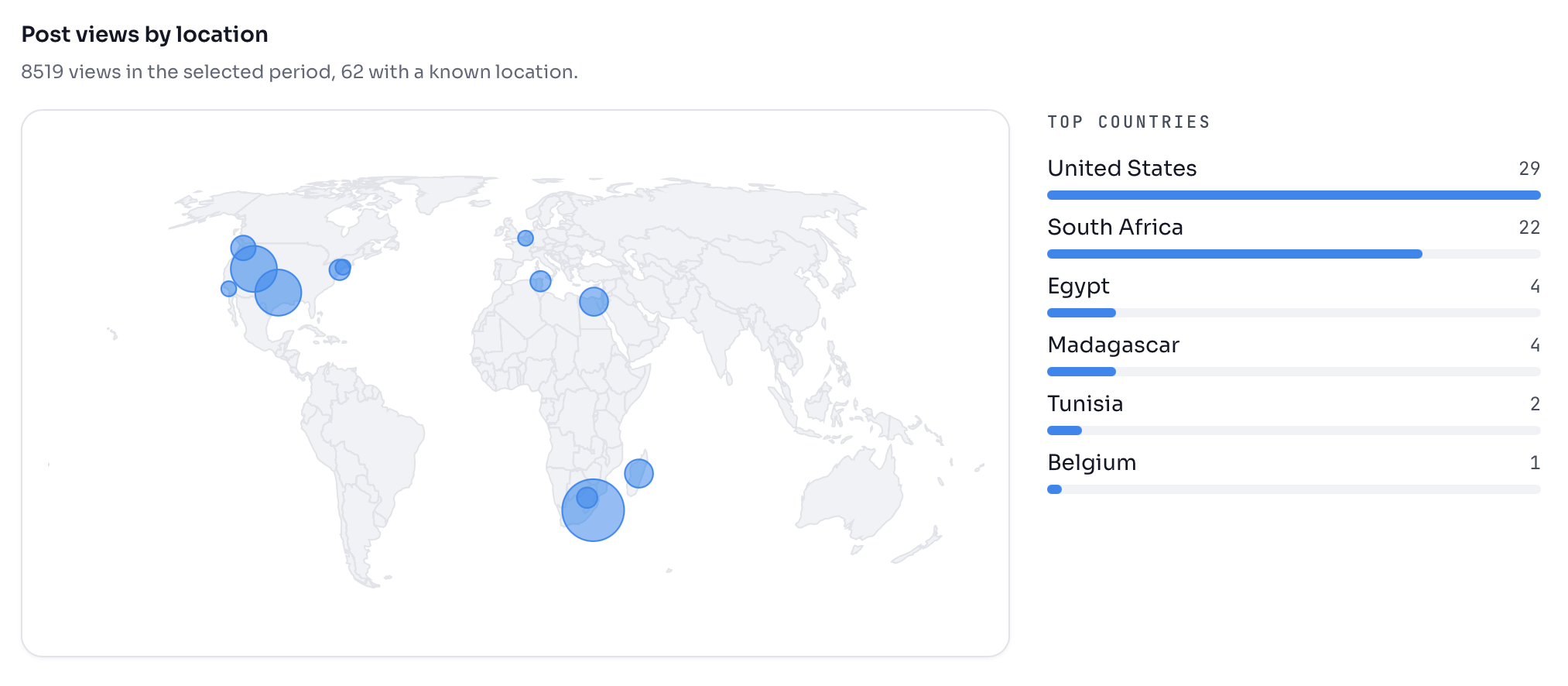
🗺️ See Where in the World Your Readers Are

Your dashboard now includes a geographic breakdown showing which countries and regions your release note readers are coming from.

Knowing where your audience is based helps you time announcements for the right time zones, prioritize translations, and spot which markets are growing fastest — all without leaving the dashboard. 🌍

  • New location element added directly to the product dashboard
  • Visitor data broken down by region, updated alongside your existing view metrics

Push Release Updates Anywhere with Webhooks

Register a URL once and ReleasePad will notify your systems the moment a post changes — no more polling the Management API for updates.

When something happens to a post, ReleasePad sends an HTTP POST to your endpoint with the full post as JSON, so your tools can react instantly instead of on a schedule. 🔔

A few things teams are already doing with it:

  • Announce a new release in Slack or Discord the second it goes live
  • Kick off an email campaign to customers automatically
  • Sync release notes into your help center or CRM
  • Trigger automations in Zapier, Make or n8n

Why it matters: your release announcements stop being a manual checklist and become a single publish action that fans out everywhere your customers and teammates already are. Full setup details are available in the webhooks documentation.

To learn more about how they work and how you can start using them please go to https://www.releasepad.io/webhooks/

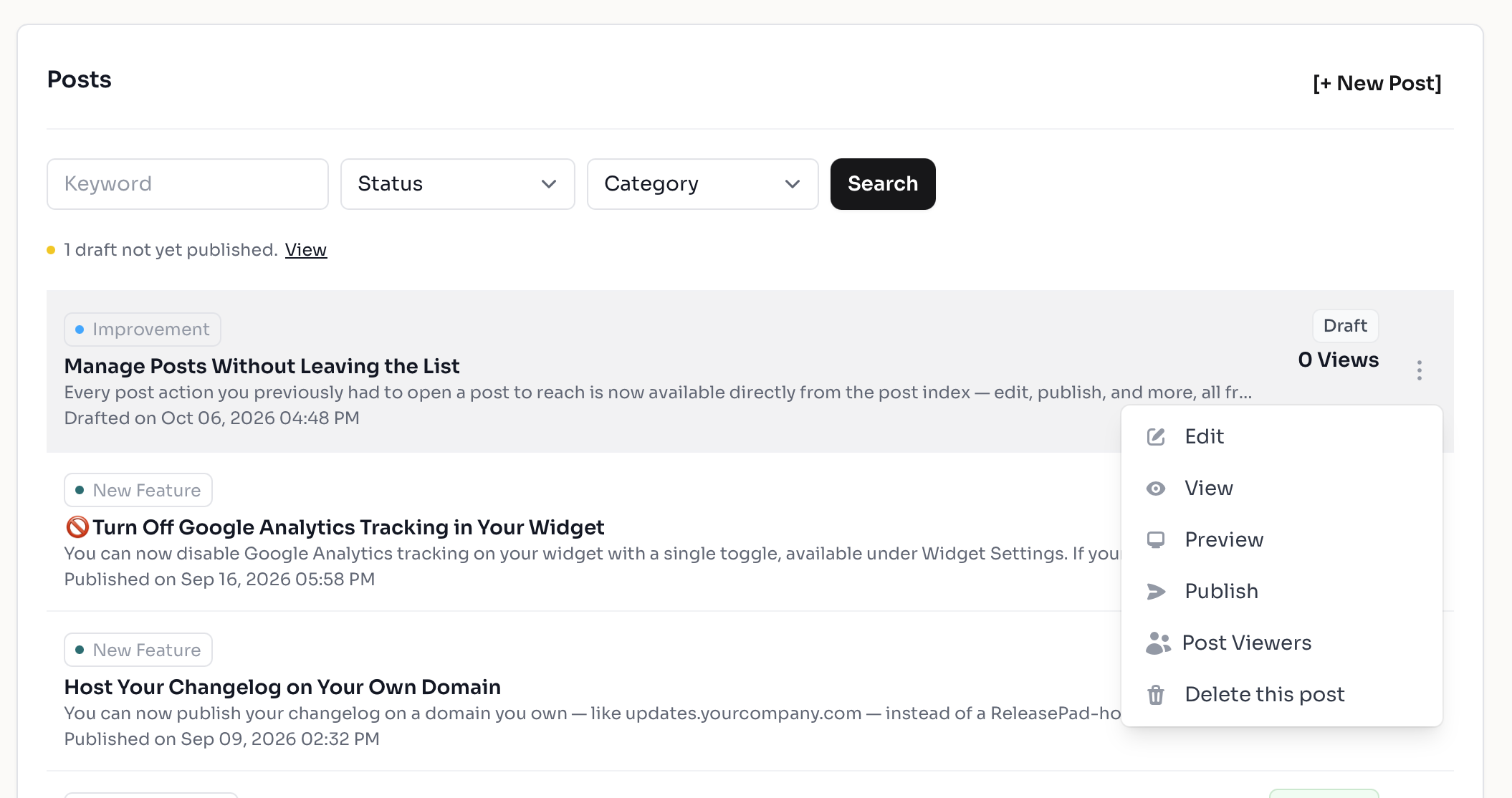
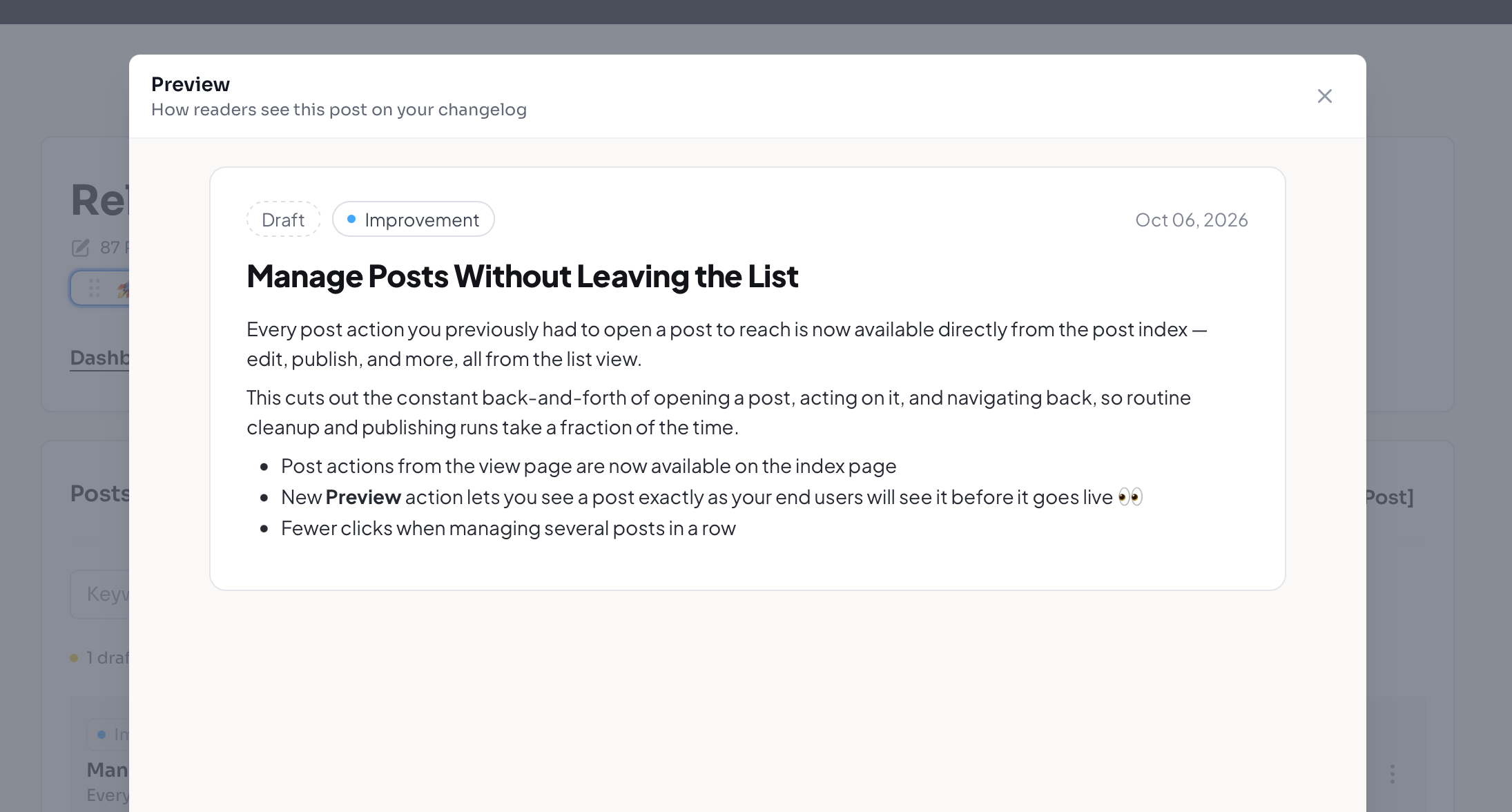
Manage Posts Without Leaving the List

Every post action you previously had to open a post to reach is now available directly from the post index — edit, publish, and more, all from the list view.

This cuts out the constant back-and-forth of opening a post, acting on it, and navigating back, so routine cleanup and publishing runs take a fraction of the time.

  • Post actions from the view page are now available on the index page.
  • New Preview action lets you see a post exactly as your end users will see it before it goes live 👀.
  • Fewer clicks when managing several posts in a row.

🚫Turn Off Google Analytics Tracking in Your Widget

You can now disable Google Analytics tracking on your widget with a single toggle, available under Widget Settings.

If your organization has strict privacy requirements, operates under regional data regulations, or simply prefers to keep third-party scripts off your pages, this gives you direct control without needing to involve support or engineering.

  • New Disable Google Analytics toggle in Widget Settings
  • Takes effect immediately across your widget — no code changes or redeploys required
  • Tracking stays fully enabled by default, so nothing changes unless you choose to switch it off 🔒

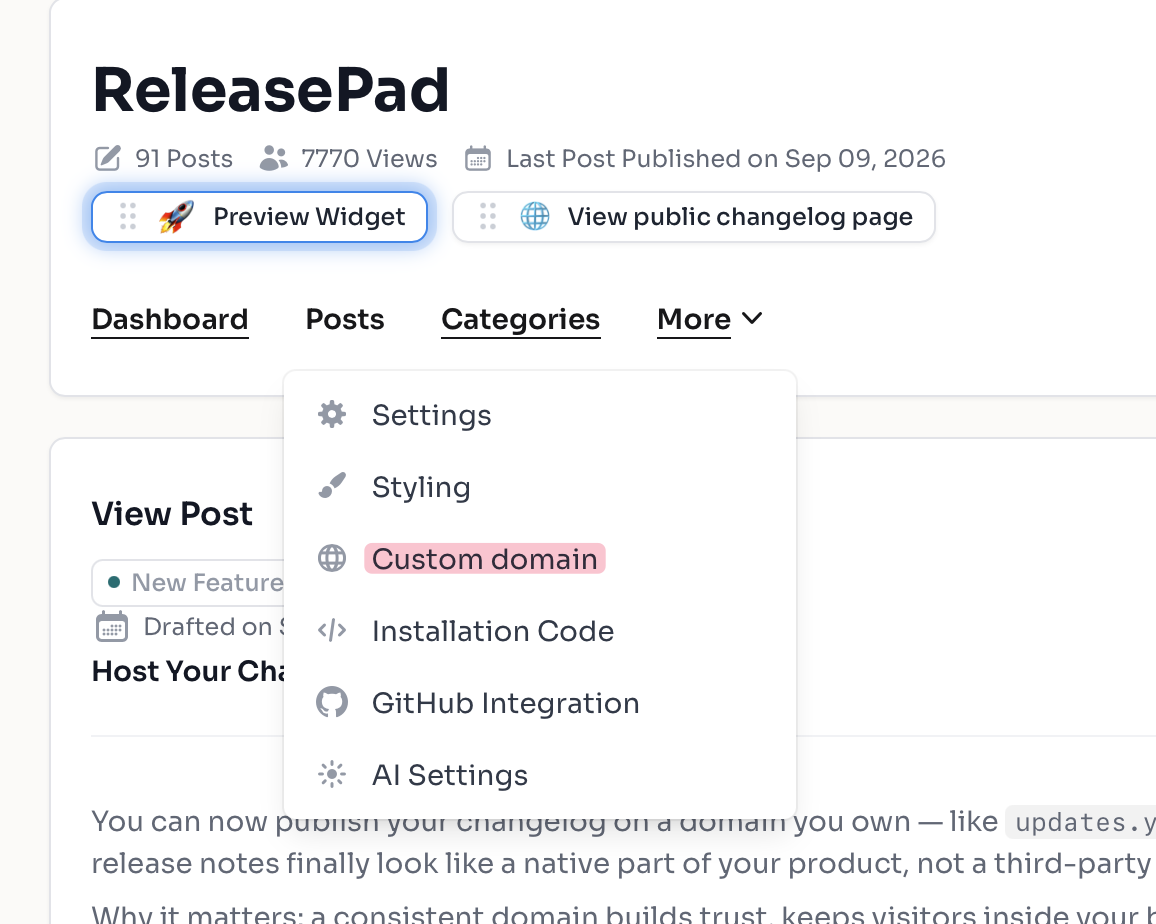
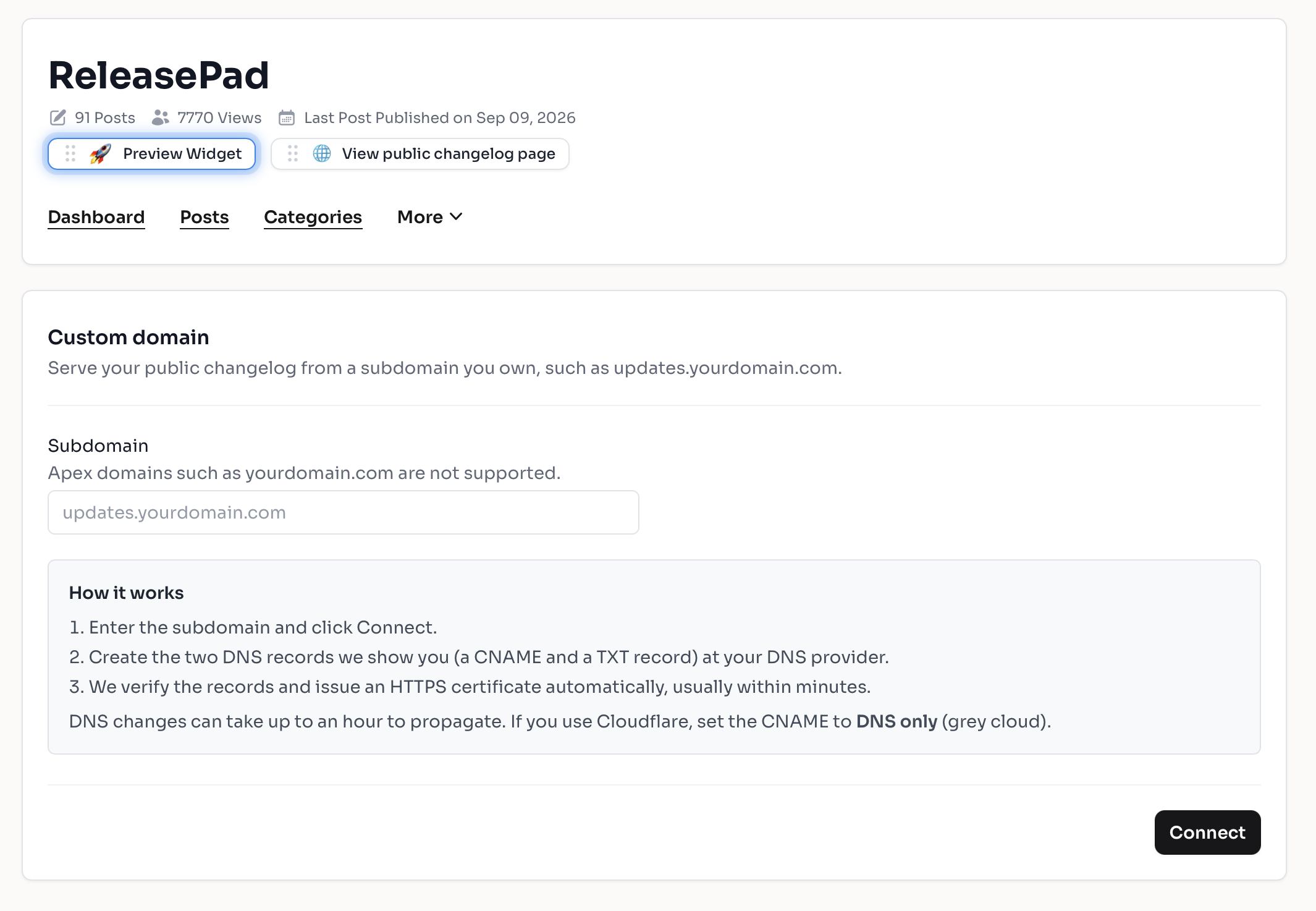
Host Your Changelog on Your Own Domain

You can now publish your changelog on a domain you own — like updates.yourcompany.com — instead of a ReleasePad-hosted URL. Your release notes finally look like a native part of your product, not a third-party page users get redirected to.

Why it matters: a consistent domain builds trust, keeps visitors inside your brand experience, and sends SEO value back to your own site instead of ours. 🌐

  • Connect a custom domain to any product from your settings
  • Step-by-step DNS guidance so you know exactly which records to add
  • Automatic verification that confirms the moment your DNS is pointing correctly
  • SSL certificates issued and renewed automatically — your changelog is served over HTTPS with no extra setup
  • Traffic routes to the right product changelog as soon as your domain goes live

ReleasePad MCP available now on Cursor MCP Directory 🚀

If you write code in Cursor, you can now add ReleasePad as an MCP plugin with one click. Once it's installed, your AI assistant in Cursor can draft, create, and publish release notes directly to your ReleasePad changelog — no switching tabs, no copying commit messages by hand.

How to install

  1. Open the ReleasePad page on the Cursor Directory: https://cursor.directory/plugins/releasepad
  2. Click Add to Cursor. Cursor will show you the config before installing (it's just our MCP endpoint, https://pro.releasepad.io/mcp).
  3. Authenticate with your ReleasePad account when prompted.

What you can do with it

  • Ask Cursor to write a release note from the changes you just shipped
  • Create and publish posts to any of your products and categories
  • Pull up existing posts to edit or reference

This uses the same ReleasePad MCP server we launched earlier this month, so if you've already connected it to Claude or another assistant, nothing changes — this just makes setup easier for Cursor users.

🤖 API Settings Now Live in Your Account

API access has moved out of individual product settings and into your account settings, where it belongs.

Your API keys unlock far more than a single product's data — read and write access spans your whole account, so managing them per product was confusing and made it easy to lose track of what a key could actually do. Managing them in one central place means fewer surprises and clearer control over who can do what.

  • Removed the API section from product settings
  • API configuration is now available under Account Settings
  • One place to manage keys across every product 🔑

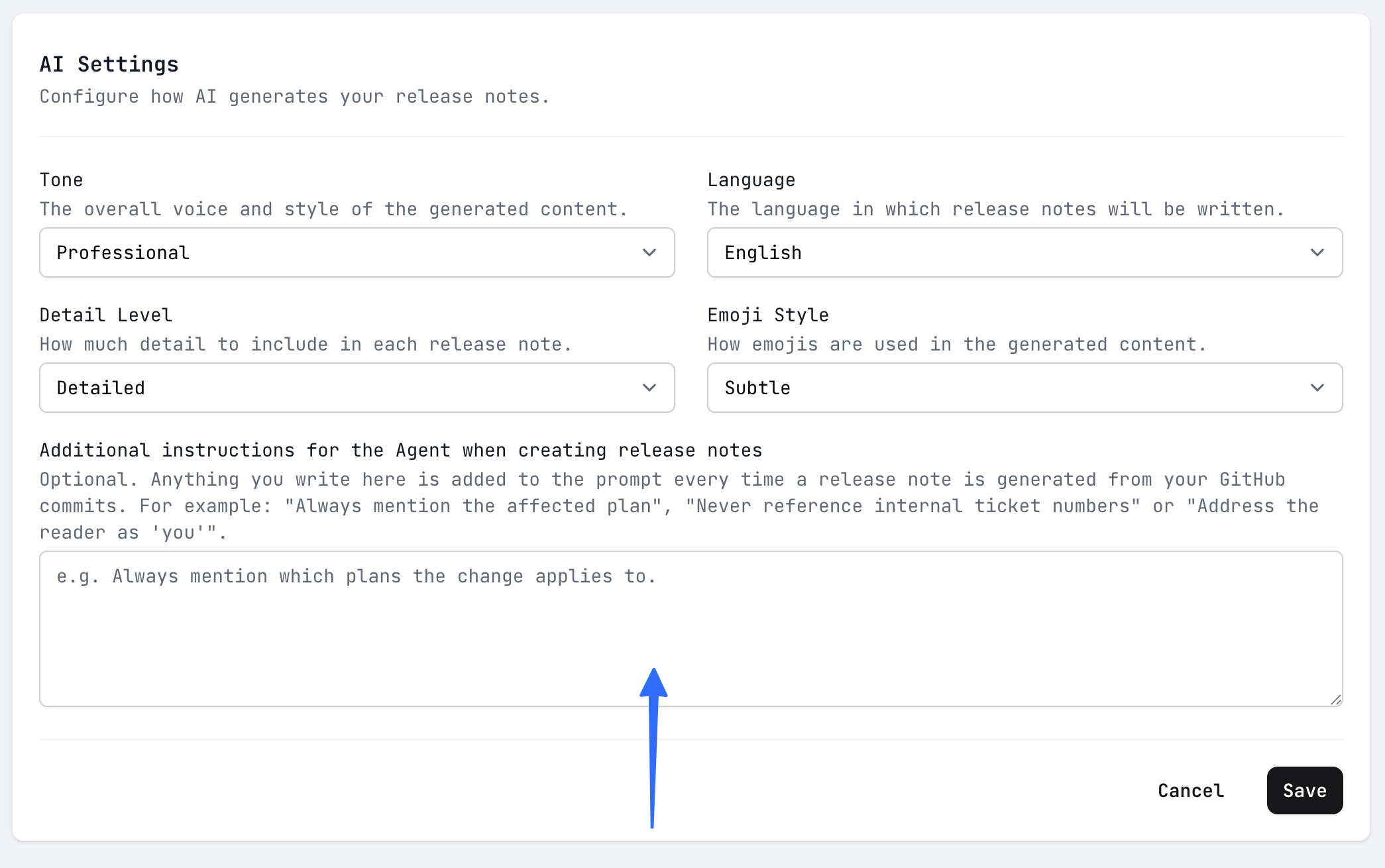
Teach the AI to Write in Your Brand Voice

A new Additional Instructions field in your AI settings lets you tell the agent exactly how you want your release notes written — tone, style, terminology, formatting preferences, and more.

Instead of editing every generated note by hand, you set your rules once and every release note drafted from your GitHub commits comes out sounding like you wrote it. ✍️

  • Add free-form instructions the AI follows on every generation.
  • Enforce your brand voice, preferred wording, and house style.
  • Spend less time rewriting drafts and more time shipping.

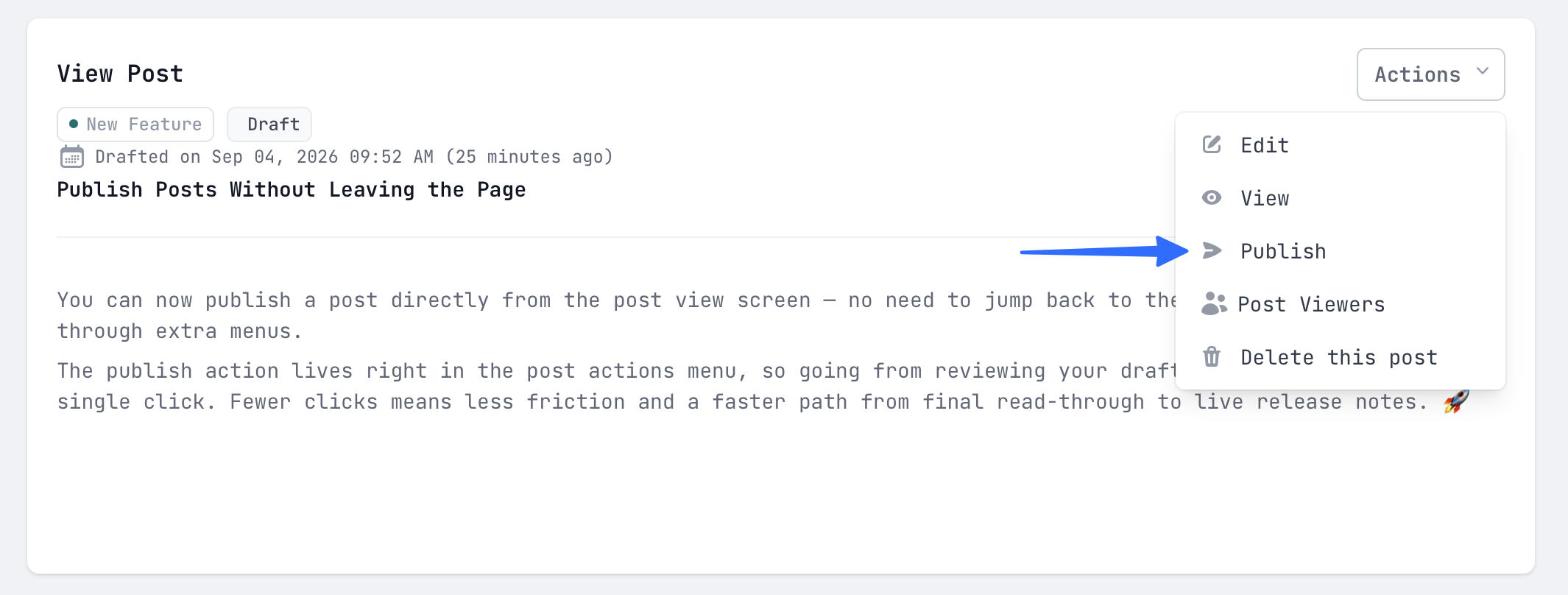
An easier way to publish posts

You can now publish a post directly from the post view screen — no need to edit, remove the draft flag and hit save.

The publish action lives right in the post actions menu, so going from reviewing your draft to shipping it is a single click. Fewer clicks means less friction and a faster path from final read-through to live release notes. 🚀

Manage Your Release Notes From Your AI Assistant

ReleasePad now ships with a built-in MCP server, so you can create, update, and publish release notes directly from AI assistants like Claude, Cursor, or any MCP-compatible client. 🤖

Instead of switching tabs to write up a release, you can draft and organize posts right where you're already working — turning shipping notes into a few sentences of conversation rather than a separate task.

What you can do

  • Write and edit posts — create release notes in GitHub-flavoured Markdown, update titles, bodies, or categories, and delete posts you no longer need
  • Control publishing — keep posts as drafts until you're ready, publish instantly, or schedule them with a future publish date
  • Organize with categories — list, create, rename, and delete categories so every post lands in the right place (New Feature, Improvement, Fix, and so on)
  • Target specific customers — mark a post as private and limit it to specific user IDs
  • Find anything fast — list posts by status (published, draft, scheduled), search by title, or filter by category
  • Check analytics — pull view counts for your public changelog and for individual posts without opening the dashboard
  • Work across products — every tool is scoped to a product, so teams managing multiple changelogs can switch between them in the same conversation

Try it with a prompt like this

"Look at the last three merged PRs in our repo and draft a ReleasePad post in the Improvement category summarizing them for customers. Keep it under 150 words, lead with the benefit, and leave it as a draft so I can review it before publishing."

Or, once you're comfortable:

"Publish the draft titled Dark mode tomorrow at 9am, and tell me how many views last week's Bulk export post has had so far."

Under the hood

  • Secure OAuth-based authorization — each connected client gets its own scoped, revocable access, with no API keys to paste around
  • Structured output schemas and tool annotations so your assistant gets reliable, predictable results every time
  • Step-by-step client setup documentation to get Claude, Cursor, or your client of choice connected in minutes
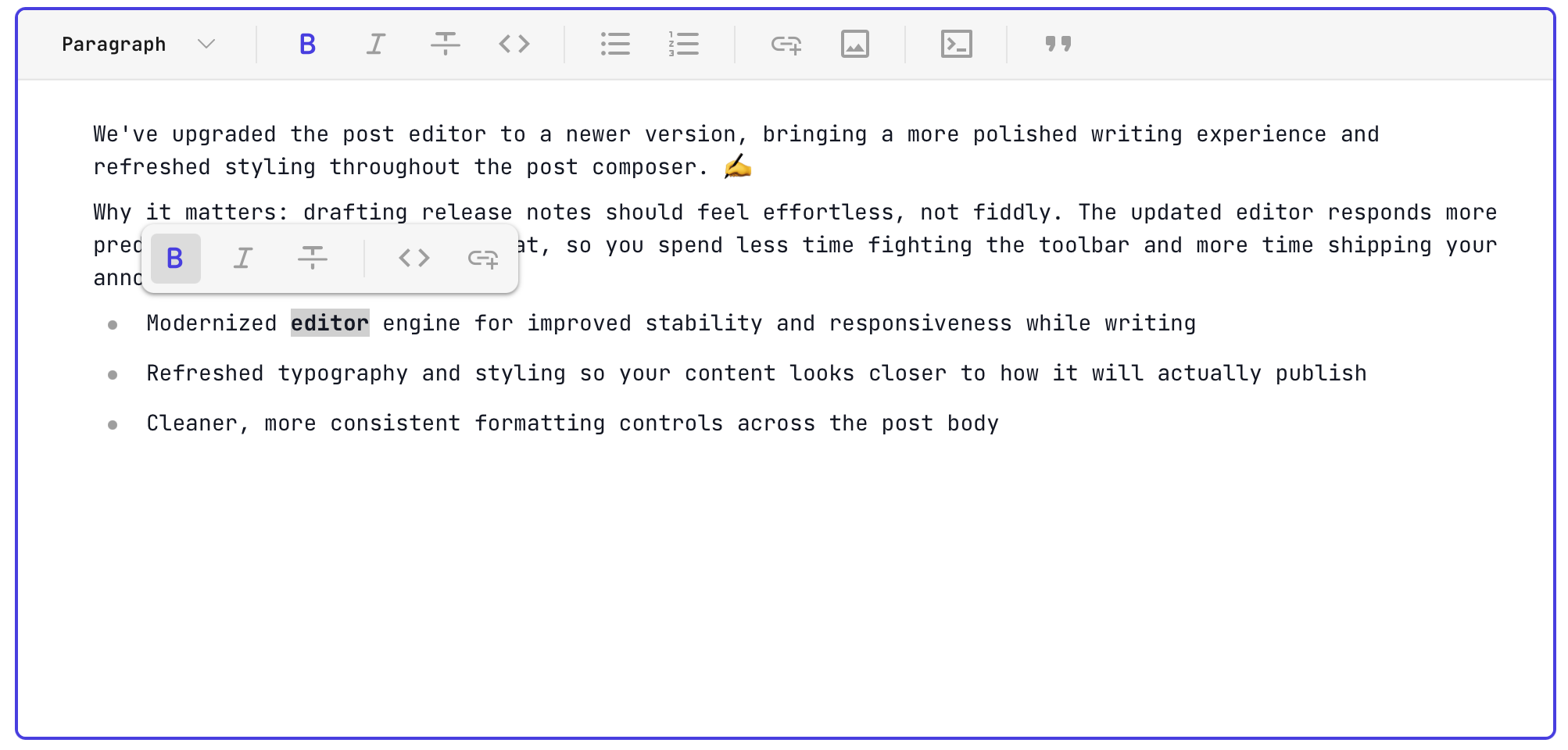
📝 A Smoother, Cleaner Writing Experience

We've upgraded the post editor to a newer version, bringing a more polished writing experience and refreshed styling throughout the post composer. ✍️

Why it matters: drafting release notes should feel effortless, not fiddly. The updated editor responds more predictably as you type and format, so you spend less time fighting the toolbar and more time shipping your announcement.

  • Modernized editor engine for improved stability and responsiveness while writing
  • Refreshed typography and styling so your content looks closer to how it will actually publish
  • Cleaner, more consistent formatting controls across the post body

👩‍💻 Build On Top of ReleasePad with the New v2 API

The new v2 API lets you read and manage your changelog programmatically — pull posts, categories, products and view data straight into your own tools. 🚀

Why it matters: your release notes no longer have to live in one place. Sync them to your website, your in-app widget, or your internal Slack bot without copy-pasting anything.

  • New endpoints for posts, categories, products and changelog views
  • Consistent response shape across every endpoint, so parsing one response means you can parse them all
  • Predictable, structured error responses that tell you exactly what went wrong

You can find all the new API documentation here: https://www.releasepad.io/api/

🔒Create and Revoke Your Own API Keys

You can now generate API keys directly from your account settings and revoke them the moment they're no longer needed.

Why it matters: every integration gets its own key, so you can hand one to a teammate or a script without sharing credentials — and shut it off instantly if something changes. No support ticket required.

🤓 Sharper, Smarter Release Notes with Opus 5

ReleasePad now uses Claude Opus 5 to interpret your commits and craft release notes — giving you clearer, more polished updates with less editing on your end.

Why it matters: better commit understanding means release notes that highlight the real user benefit right out of the gate, saving you time and helping your team communicate changes more effectively.

🤖Stronger Protection Against Bots and Spam

We've integrated Cloudflare Turnstile across key forms to keep automated bots and spam out — without the frustration of solving puzzles or picking traffic lights.

Why it matters: your account and workspace stay safer, sign-ups and submissions stay clean, and legitimate users get a smoother, near-invisible verification experience.

🐞No More Crashes When Opening Deleted Posts

Trying to edit a post that has been deleted or belongs to another product no longer causes an error page.

Instead, you'll be handled gracefully and redirected, so stale bookmarks, shared links, or outdated tabs don't disrupt your workflow. One less unexpected roadblock when managing your changelog.

More Reliable Public Changelog Pages

Public changelog pages now stay online even when they receive unexpected traffic, such as bots hitting URLs with invalid pagination values.

Previously, requests with a non-numeric page parameter (like ?page=abc) could trigger an error and interrupt page loads. Your visitors now get a smooth, uninterrupted experience regardless of how the URL is crafted.

Better Link Previews and SEO for Public Changelogs

Your public changelog now looks great everywhere it's shared and ranks better in search results — no extra work required.

When your changelog links get shared on Slack, LinkedIn, or X, they'll now unfurl with a proper title, description, and preview instead of showing a blank card. On top of that, every changelog page now includes the SEO essentials search engines expect.

  • Open Graph tags so shared links unfurl with a title and description on Slack and social platforms
  • Meta descriptions on every changelog page for better search snippets
  • Canonical URLs to avoid duplicate content issues
  • JSON-LD structured data to help search engines understand your content

Why it matters: more clicks from shared links and stronger organic discovery — turning your changelog into a real growth channel.

🕵️ Keep Your Changelog Private to Your Users

You can now mark a changelog as private, giving you full control over who gets to see your product updates.

When enabled, only the embedded widget on your app will display release notes to authenticated users, while the public changelog page returns a 404. Perfect for teams that want to share updates exclusively with their customers, without exposing them to the wider web.

👥 Invite Your Team to Collaborate

You no longer have to run ReleasePad solo. You can now create and invite users to your workspace, each with a role that fits what they do:

  • Admin — full access to everything, including products, users, and billing
  • Member — can write, edit, and publish release notes, but can't touch products, user management, or billing

Perfect for letting a teammate own the changelog without handing over the keys. Head to your workspace settings to send your first invite.

🌎 Sharper Location Accuracy

We've refreshed our GeoIP database to the latest release, delivering more accurate city and country detection across your traffic and analytics.

Expect better geographic insights, cleaner reports, and more reliable location-based decisions with no action required on your part.

⏱️ Accurate Post Counts on Every Product

Fixed an issue where the post count shown for each product didn't reflect the actual number of posts published.

You can now trust the numbers on your product dashboards to make better decisions about content and trial usage. Existing products have been backfilled with the correct counts automatically.

⚡Build Custom Integrations with Our New API Docs

Our public API documentation is now live, giving you everything you need to connect ReleasePad to your own tools and workflows.

Whether you want to automate release note publishing from your CI pipeline, sync updates with internal dashboards, or build entirely custom integrations, you now have a clear reference to get started fast — no more guesswork.

Explore the full documentation at https://www.releasepad.io/api/ 🚀

Widget Font Now Loads Correctly via API v2

We fixed a missing property in the API v2 response that was preventing the widget font from being applied correctly.

Your widgets will now render with the intended typography out of the box — no extra configuration needed, and no more visual inconsistencies for your end users.

Your Brand Takes Center Stage on Public Changelogs

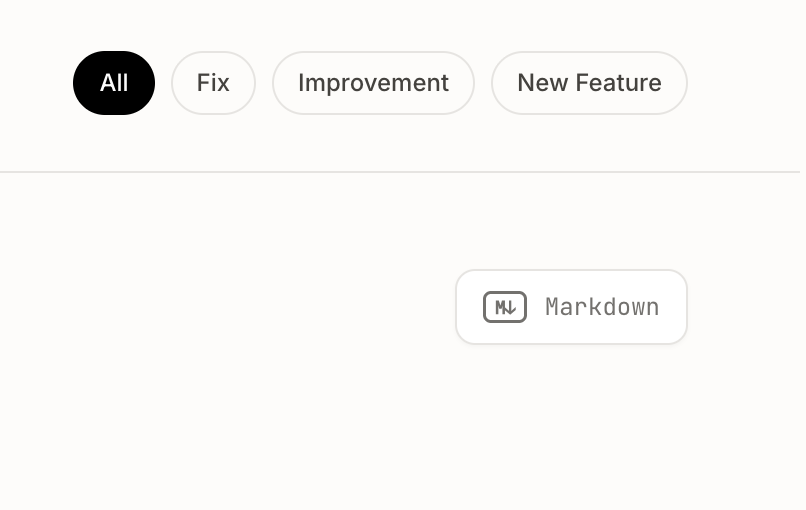
We've refreshed the public changelog page to put your brand front and center, with a more subtle Markdown view button that stays out of the way.

The result: visitors focus on your updates and your brand identity, not on secondary UI elements — making every release feel more polished and professional.

🐞 Installation Button Now Works Reliably

We've squashed a bug that was preventing the installation button from working as expected.

Getting ReleasePad set up on your site should now be a smooth, one-click experience — no more workarounds or manual steps to grab your installation code.

🐞 Email delivery bug fixed

We resolved an issue that was preventing some transactional emails from reaching users' inboxes.

Just resent the weekly stats email 📊.

📬 Faster Transactional Emails

Transactional emails now arrive in just a few seconds, so you get the right notifications at the right time.

We've bumped the priority on outgoing transactional messages like account confirmations, password resets, and key alerts — meaning less waiting around for that critical email to land in your inbox and a smoother experience whenever timing matters.

Sign In Faster with Google 🚀

You can now sign in to your account using Google, skipping the need to remember another password.

This makes getting started quicker and more secure, reducing friction for new users and saving time for returning ones who can authenticate with a single click.

🍀 More Room to Publish on the Free Plan

Free plan users can now create up to 20 posts, up from the previous limit of 5. That's 4x more space to share updates with your audience before needing to upgrade.

Whether you're just getting started or testing ReleasePad for your team, you now have plenty of room to build a meaningful release history and showcase your product's progress.

Public Changelogs Now Honor Your Custom Branding

Your public changelog page now correctly displays the alternative name you've configured, ensuring your branding stays consistent across every visitor's view.

Previously, the new page style was ignoring the alternative name setting and falling back to defaults. This fix means your customizations now appear exactly as intended, so your audience sees the polished, branded experience you set up.

See More Updates at a Glance on Public Changelogs

Public changelog pages now display up to 50 posts per page, up from 10.

Visitors can scroll through more of your product's history in a single view, reducing pagination clicks and making it easier to discover recent improvements and features at a glance.

🤩 See Update Frequency at a Glance

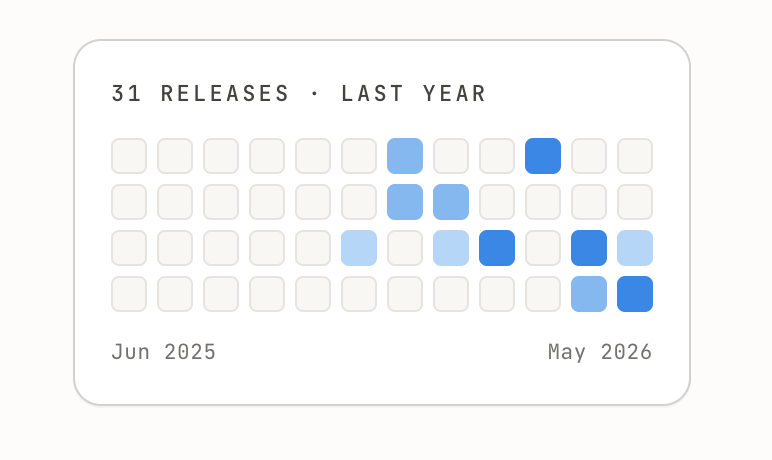
Your public changelog page now features a heatmap visualization that shows when updates were published over time.

Visitors and customers can instantly gauge how actively you ship improvements, building trust and showcasing your team's momentum — no scrolling required.

🤖 Upgraded to Claude Opus 4.7

Your release notes just got smarter. We've upgraded our AI engine from Claude Opus 4.6 to Claude Opus 4.7 for processing your GitHub commits.

What this means for you:

  • Sharper summaries that better capture the why behind each change
  • Improved grouping of related commits into coherent release entries
  • Better tone matching — whether your changelog is playful or buttoned-up

No action needed on your end. Your next generated release notes will automatically use the upgraded model.

Ship on 🚀

🥽 See More Posts at a Glance

We've increased the number of posts displayed per page in the posts section (in the backend), so you can browse more of your content without constantly clicking through pages.

Why it matters: Less pagination means faster navigation and better visibility across your release notes — making it easier to find, review, and manage your posts in one view.

GitHub Login Now Works Seamlessly with Password Fields

Users who signed up via GitHub can now interact with password fields without running into errors. Previously, attempting to use a password when your account was linked through GitHub could cause unexpected issues.

This fix removes a frustrating blocker for GitHub-authenticated users, ensuring a smooth experience regardless of how you signed up. 🔐

Your Public Changelog Page Just Got a Major Upgrade

We've redesigned the public changelog page from scratch to give your readers a significantly better experience — and it loads faster too. ⚡

  • Completely refreshed layout and visual design for a cleaner, more polished look
  • Improved page load performance so your audience sees updates instantly
  • Better overall user experience that makes your changelog a page worth sharing

Your public changelog is often the first impression users and prospects have of your product momentum. This redesign makes sure that impression is a great one.

🎨 Refreshed Message Styling for a Cleaner Experience

We've polished the visual styling of messages across our platform to make them cleaner and easier to read at a glance.

This update improves readability and overall visual consistency, so you can focus on the content that matters without unnecessary visual clutter. ✨

Smarter, more engaging release notes generation

We've upgraded the AI behind your release notes! 🚀 The release notes generator now produces more polished, user-focused content that clearly communicates the value of each change to your audience.

Your generated release notes will now be more engaging and easier to read — helping your users actually understand and appreciate what's new in each release.

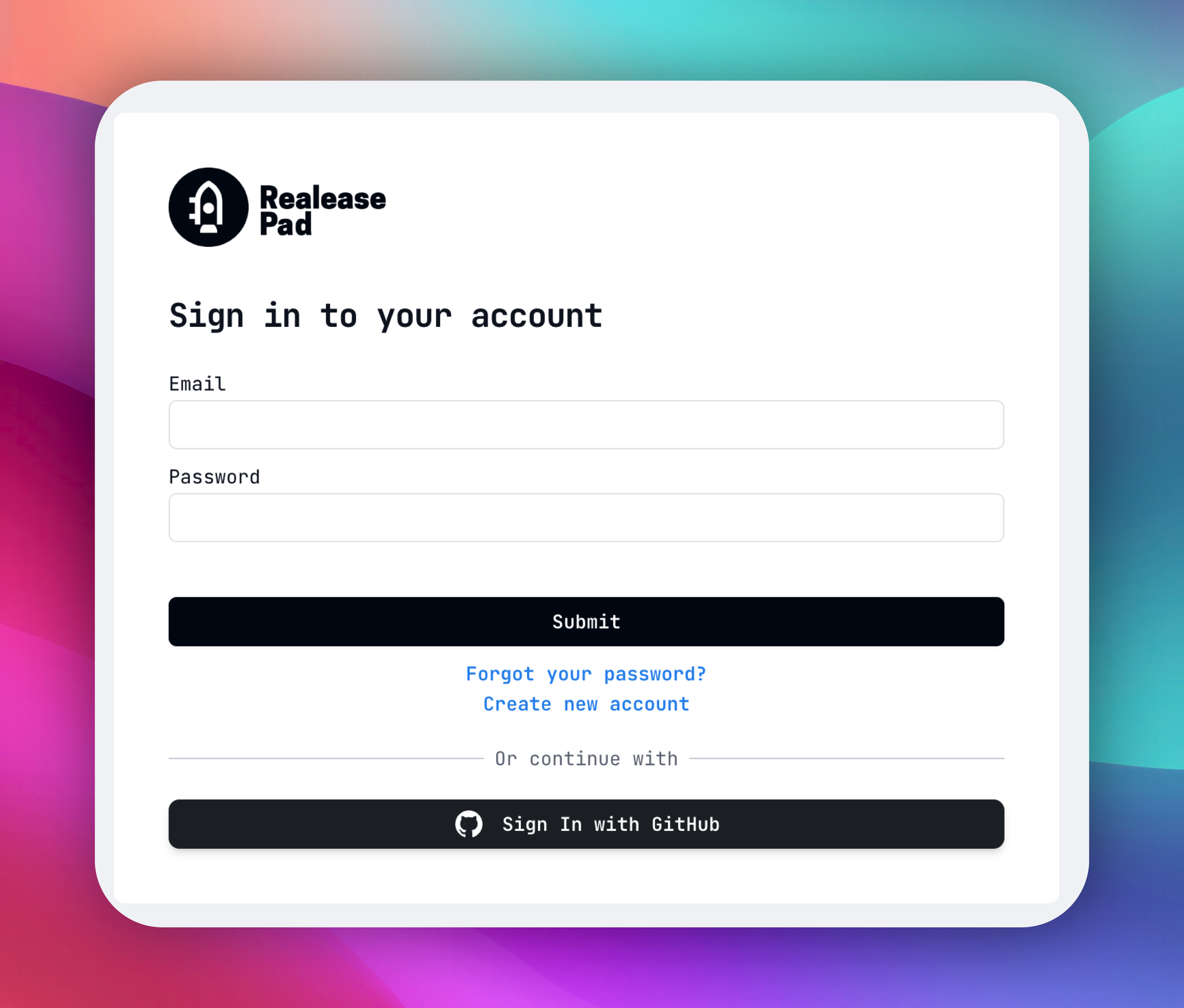
⚡ Sign in with GitHub for faster access

You can now log in using your GitHub account! 🎉 Whether you're a new or existing user, signing in with GitHub makes it faster to get started and simplifies managing your GitHub integrations down the road.

  • One-click login with your GitHub account — no extra passwords to remember
  • Lays the groundwork for smoother GitHub integration workflows

Resolved an error when viewing unavailable posts

Fixed an issue where navigating to a post that no longer exists or couldn't be found would result in an error. Now, you'll see a proper response instead of an unexpected failure. 🛠️

Fixed duplicate repository bug for archived repos

We resolved a bug where archived GitHub repositories could cause duplicate entry errors when syncing your repository list. The uniqueness constraint now correctly scopes to non-archived repositories, preventing conflicts and ensuring a smooth sync experience.

GitHub App Integration

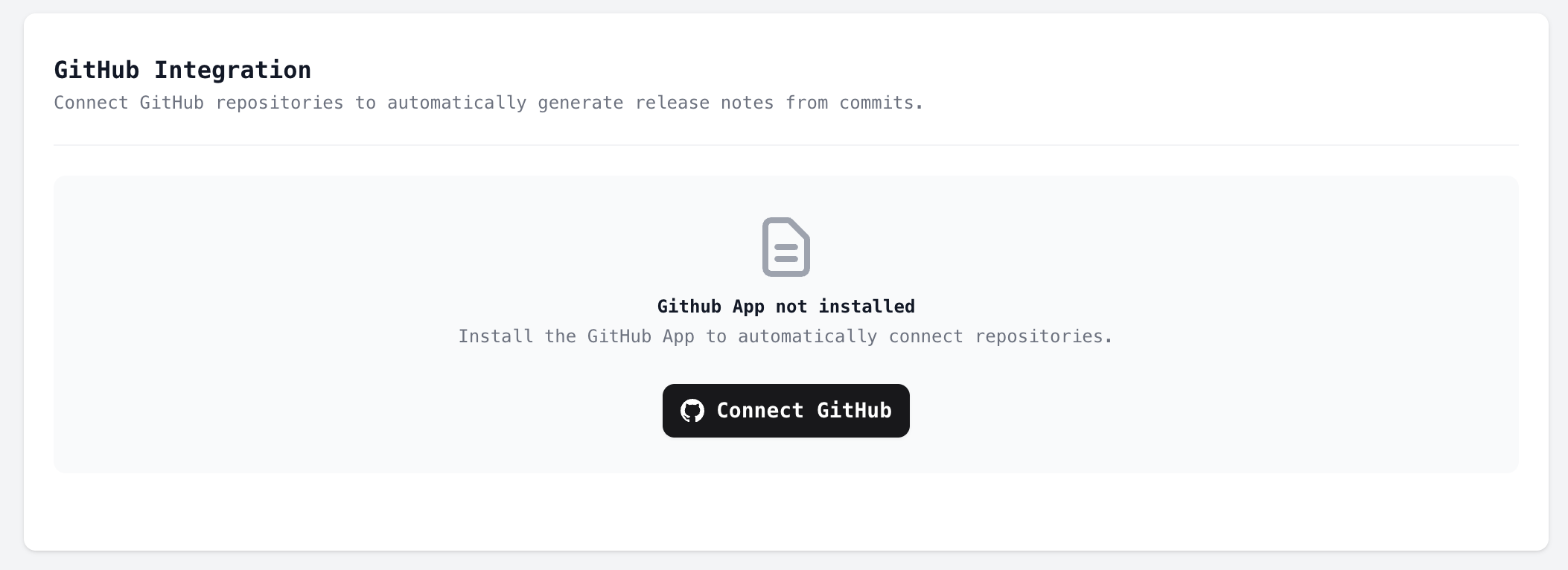
We've introduced a brand-new GitHub App integration that fundamentally improves how ReleasePad connects with your repositories. 🚀

Instead of manually adding repositories, ReleasePad now uses a GitHub App to automatically detect and sync your installed repositories. Once you install the GitHub App on your GitHub organization or account, your repositories will be available in ReleasePad — no extra configuration needed.

As part of this change, the manual repository adding workflow has been removed in favor of the streamlined GitHub App experience.

  • Install the ReleasePad GitHub App directly from your GitHub settings
  • Repositories are automatically synced when the app is installed or updated
  • Webhook support ensures your repository list stays up to date in real time

Auto-generate release notes from commits

ReleasePad can now automatically load your latest commits from GitHub and convert them into polished release notes. ✨

When a repository is connected via the new GitHub App integration, ReleasePad fetches the last 3 commits and uses them to generate user-friendly release notes — saving you time and ensuring your changelog stays current with minimal effort.

Better error handling when connecting a repository

We've improved the error handling experience when connecting a GitHub repository to your project. If something goes wrong during the connection process, you'll now see clearer, more actionable error messages instead of generic failures. This makes it easier to troubleshoot and resolve issues quickly.

Widget design refresh and custom font support

We've given the widget a visual refresh! The updated design is cleaner and more modern, helping it blend seamlessly into your site. ✨

Additionally, the widget now respects the custom font you've configured in your brand styles under Product Settings. This means your release notes widget will feel like a natural extension of your brand, matching the typography your users already see across your product.