Changelog

Ubidots

Low-code application development for the Internet of Things

M↓ Markdown
27 releases · last year
Aug 2025 Jul 2026
Jul 1
2026
Latest release Events 28 days ago

No Incident Left Unanswered: Introducing Escalation Policies

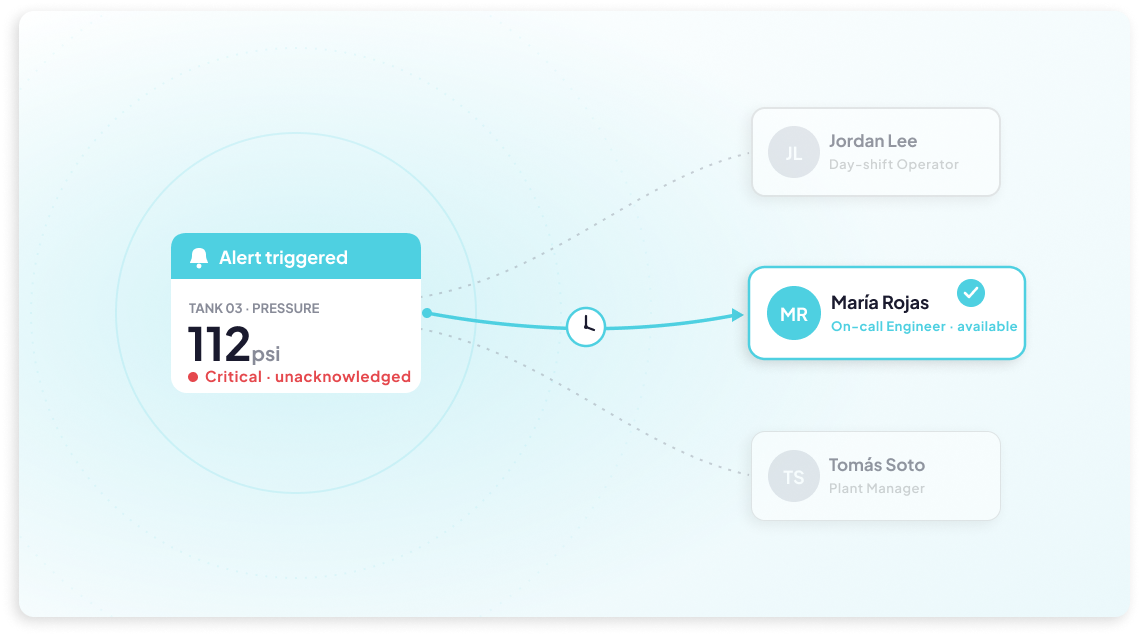
Creating an Incident is only half the battle — making sure the right person actually sees it and acts on it is just as important. That's where Escalation Policies come in. Working hand in hand with the new Incidents module, this feature lets you define a sequence of notification rules that automatically escalate an unacknowledged Incident up the chain, instead of relying on a single alert and hoping for the best. Each rule specifies who gets notified, through which channels — Email, SMS, WhatsApp, or Voice Call — and how many times to retry before moving on to the next set of recipients.

Once a Policy is attached to an Event (or assigned manually when creating an Incident), the escalation runs on its own: if Rule 1's recipients don't acknowledge the issue in time, Rule 2 kicks in, and so on, up to five rules deep. The moment anyone acknowledges the Incident, the escalation stops immediately, no matter which rule is active. Policies are also reusable, so you can build an escalation chain once and apply it across multiple Events. It's a simple way to add real accountability to your alerting workflow — ensuring critical issues are never just a notification that goes unread.

Learn more.

Jul 1
2026
Organizations 28 days ago

Self-Serve Passwordless Login

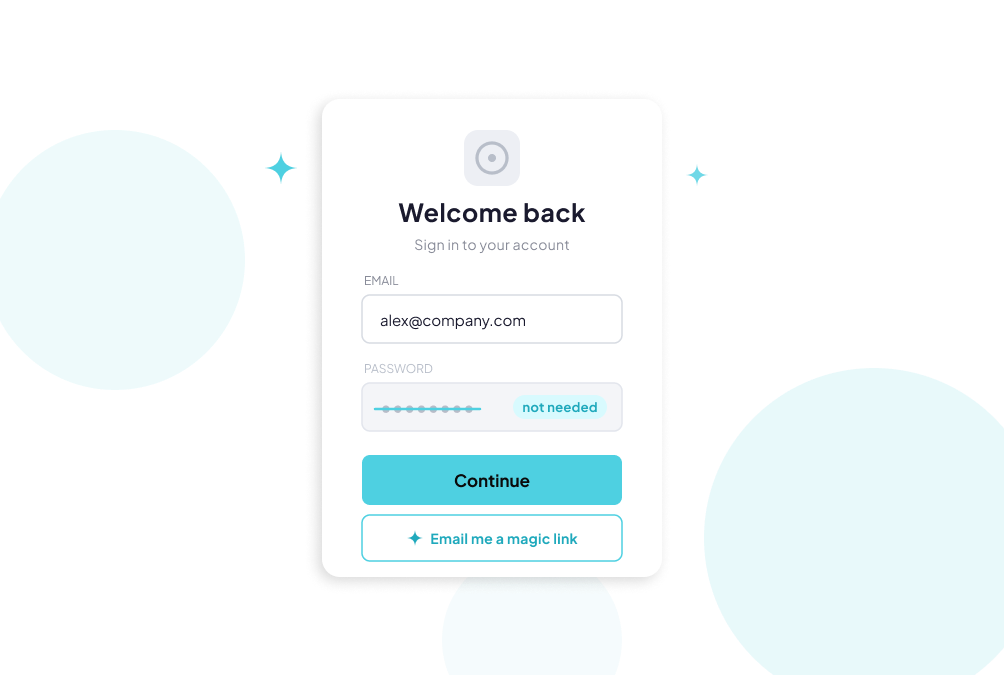
Magic Links just got more flexible. Instead of having to generate a login link manually for each end user, account owners can now enable self-serve passwordless login at the app level, letting users request their own access link whenever they need it. Once turned on from the app's Features settings, end users will see an "Email me a login link" button right on their login screen — they simply enter their email, and a link arrives that logs them in automatically, no password required. It's entirely optional, so regular password login keeps working as before; this just gives users a faster, frictionless alternative when they want it.

Learn more.

Jun 3
2026
Events 1 month ago

Introducing Incidents: Track Issues From Detection to Resolution

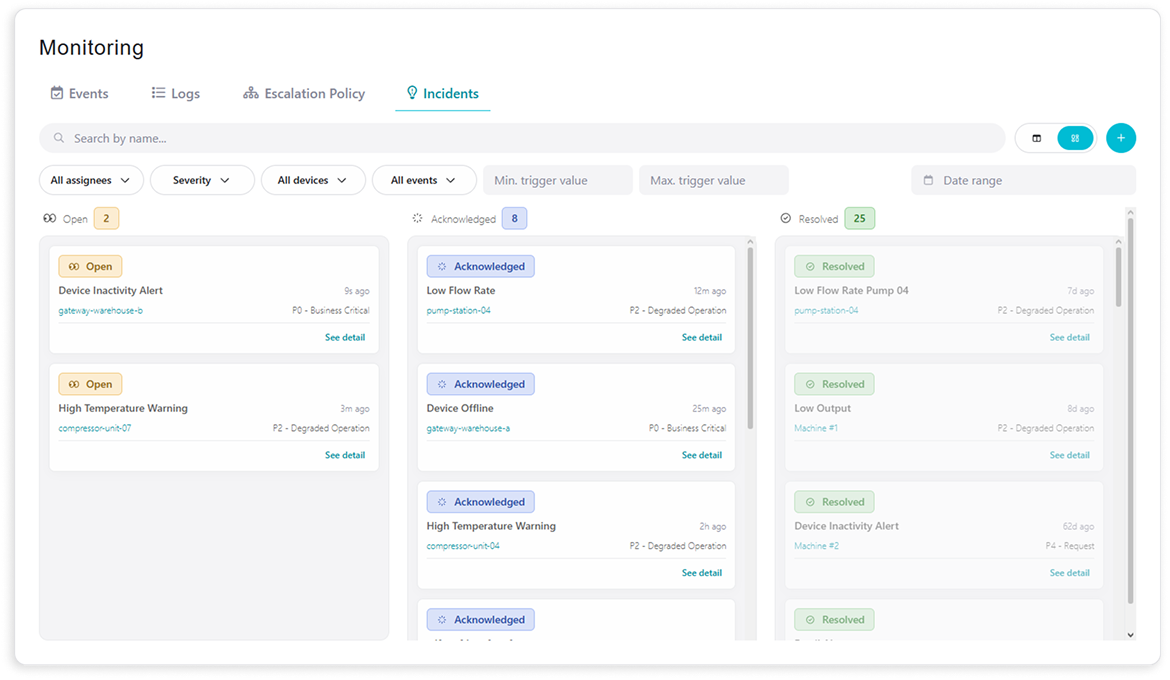
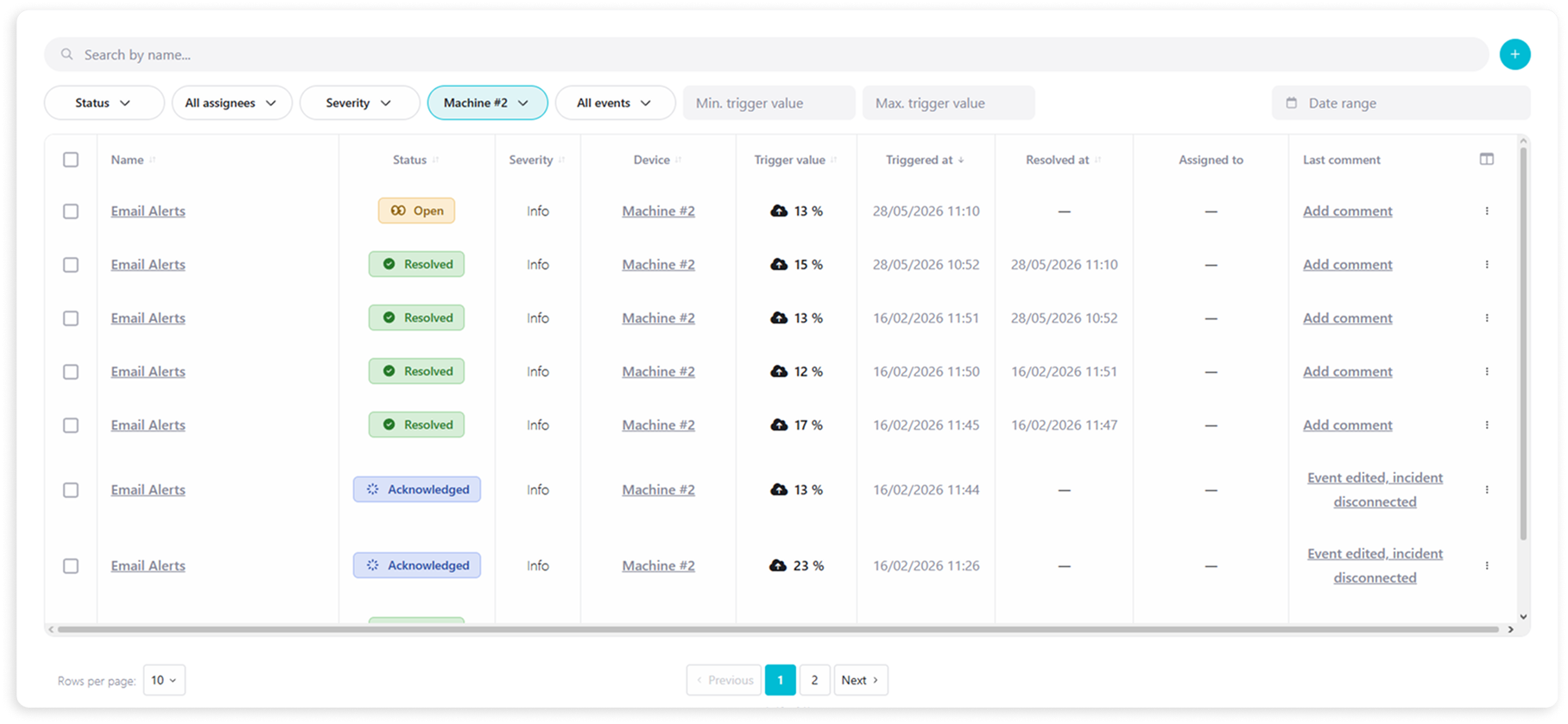
Ubidots Events have always been great at detecting when something goes wrong — but what happens after the alert fires? That's exactly the gap the new Incidents module is designed to fill. Incidents gives your team a structured, shared space to track and manage operational issues from the moment they're detected to the moment they're resolved. Problems can be logged automatically when an Event triggers, or manually by an operator who spots an issue in the field. From there, your team can acknowledge the incident, assign it to the right person, set a severity level, and document every action taken along the way in a timestamped timeline that serves as a permanent audit trail. It's the operational layer that turns your alerts into accountable, traceable workflows — keeping everyone on the same page until the issue is closed.

Learn more.

Jun 3
2026
General 1 month ago

Linked Accounts

Ubidots already handles SMS and voice alert delivery out of the box, but if you have your own Twilio account, you can now connect it directly through the new Linked Accounts section in your account settings. This means your notifications go out through your own phone numbers, under your own billing and usage quotas, with full visibility into delivery logs inside your Twilio dashboard — instead of relying on the Ubidots default. It's a straightforward way to take ownership of your messaging stack, and more services will be available to link in the future.

Learn more.

Jun 3
2026
General 1 month ago

More Control Over Your MCP Server

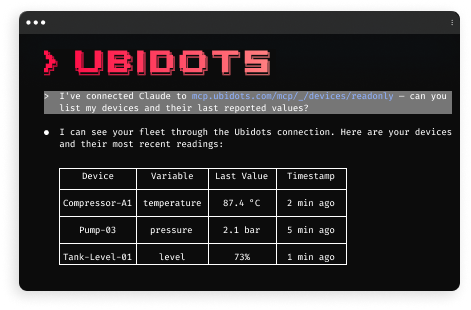
The Ubidots MCP server now supports scoped MCP paths, giving you finer control over what your AI applications can access. Instead of always exposing all available tools, you can now point your AI client to a more specific endpoint that limits access to a particular entity, restricts operations to read-only, or both. It's a simple change that goes a long way for security and token efficiency.

Learn more.

Jun 3
2026
Widgets 1 month ago

Demo Data for Widgets

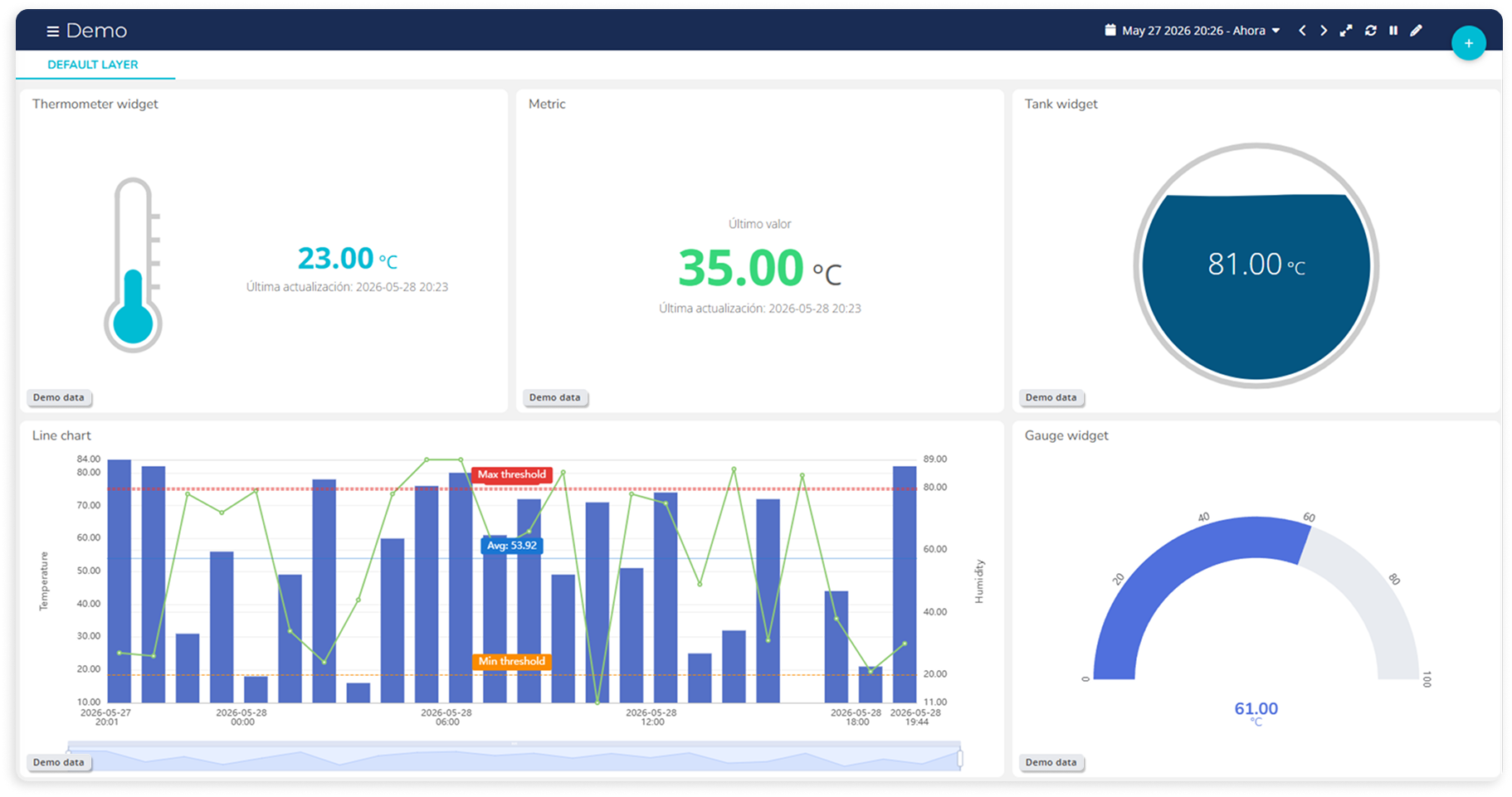
Pitching a solution before the devices are live just got easier. A handful of widgets — Gauge, Metric, Tank, Thermometer, and Line Chart — now support a demo data mode that lets you display simulated readings directly in the widget, without needing real data flowing in. It's a simple but handy tool for showcasing a dashboard to a potential client or stakeholder before the actual deployment is up and running.

Learn more.

May 4
2026
General 2 months ago

Polynomial Equations, Without the Headache

Synthetic variables just got a powerful new addition: the poly() function. If your measurements rely on polynomial equations — think tank volume calculations, sensor calibrations, or any non-linear relationship between a raw reading and a real-world value — you no longer have to manually construct and maintain those long, error-prone expressions in the synthetic variable editor. Instead, you simply pass your variable and a set of constants to poly(), and Ubidots automatically builds the full polynomial equation for you behind the scenes. Beyond saving time when setting things up, this also makes device replacements significantly less painful: updating the equation is now a matter of swapping out a few constants rather than rewriting an entire expression. It's a small function with a big impact on anyone working with curve-fitting or calibration-based metrics.

Learn more.

May 4
2026
General 2 months ago

A Smoother Sidebar Experience

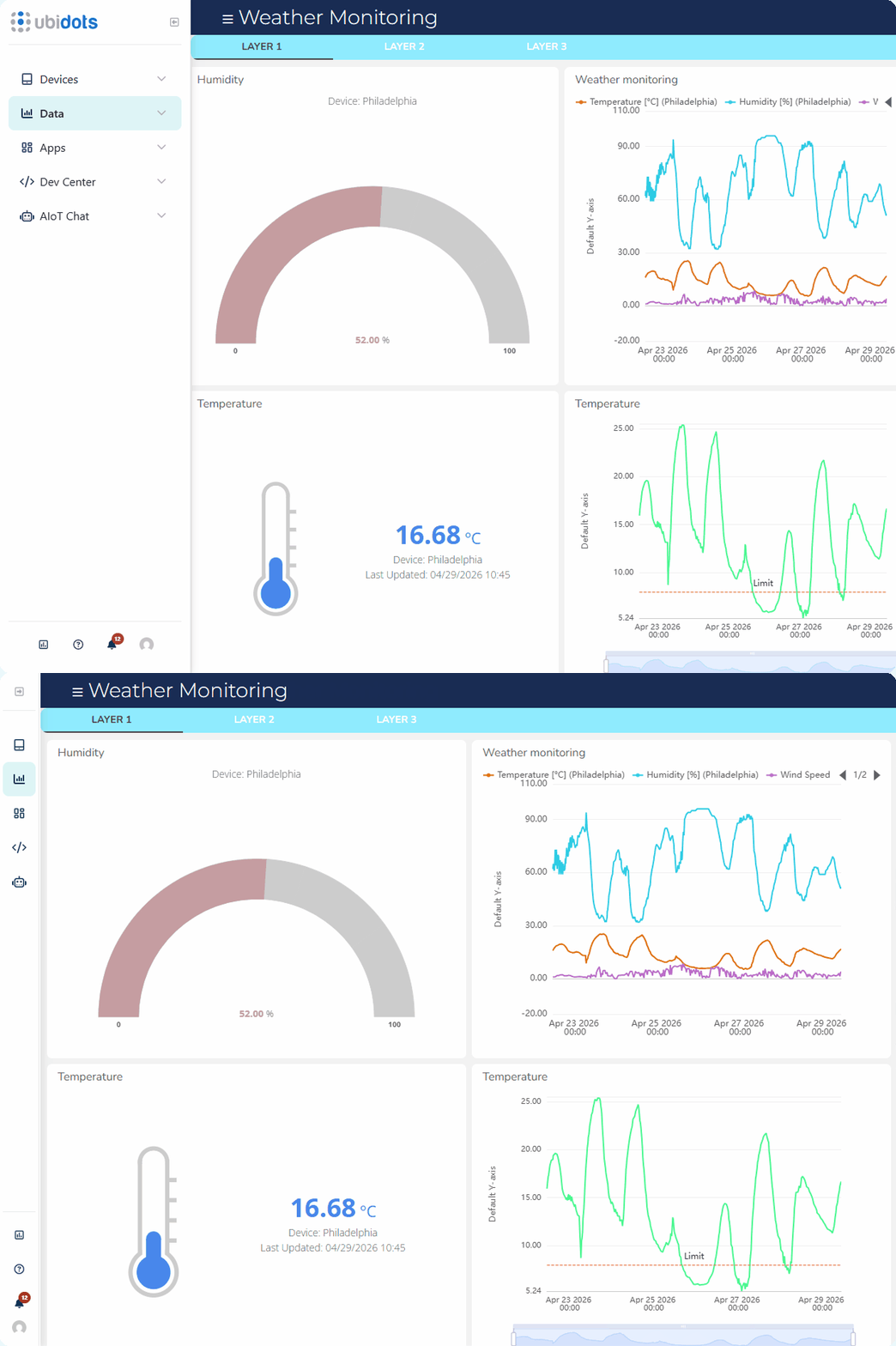
The default sidebar menu has received a set of quality-of-life improvements that make navigating your apps feel more polished and intuitive. Buttons are now fully interactive even when the sidebar is in its collapsed state, so your users can jump between sections without having to expand the menu first. Icons and fonts have also been refreshed for better readability and clarity at a glance. On top of that, the collapse/expand button has been redesigned and repositioned to make its purpose immediately obvious, reducing any friction when working with the lateral navigation. Together, these updates make the sidebar a more seamless part of your app experience — whether you're building for your own team or for end users who rely on it every day.

Note: The new design has not been applied to customized end-user sidebar menus. 

Learn more.

May 4
2026
General 2 months ago

Introducing AIoT Chat: Your Operation, On Demand

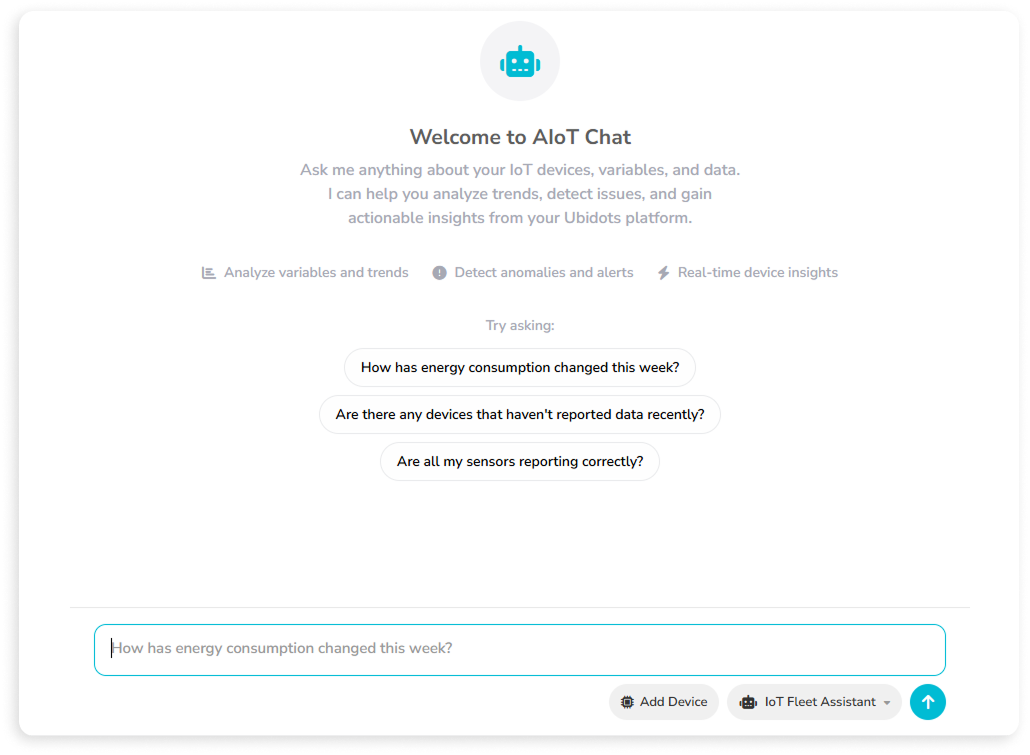
Managing an IoT fleet means constantly asking questions: Which devices are offline? Where are the anomalies? What's been happening over the past week? Until now, answering those questions meant navigating dashboards, digging through device lists, and checking variables one by one. With the new AIoT Chat, you simply ask in plain language and get an answer backed by your real Ubidots data — no extra steps, no context switching. Think of it as a 24/7 data analyst living inside your account: always available, always looking at the same data you are, and ready to tell you what's going on and what deserves your attention. 

The AIoT Chat can check fleet connectivity, surface anomalies, report on variable trends, and list active alerts — all from a single conversational interface. You can follow up within the same thread to drill deeper into specific devices or timeframes, making it easy to go from a broad status check to a focused investigation in just a few exchanges.

Learn more.

Mar 2
2026
UbiFunctions 4 months ago

More Control Over Your Global Properties

Sensitive credentials deserve stronger safeguards. That’s why Global Properties now support Secret properties, a new capability designed to better safeguard sensitive information such as API keys, tokens, and shared credentials within your UbiFunctions configuration. With a simple toggle, you can mark any global property as “Secret,” ensuring its value is treated as sensitive data from the moment it’s created. The way you invoke it in your code doesn’t change. The protection happens behind the scenes.

When a property is marked as Secret, its value is permanently hidden from the Global Properties module and excluded from listing endpoint responses. It cannot be viewed or edited again through the interface; if you need to update it, you simply create a new Secret property and assign it to your function. At runtime, however, it behaves like any other environment variable and is accessible to your code, so proper logging practices remain essential. The result is stronger protection for stored credentials, without sacrificing the flexibility and simplicity that make Global Properties so powerful.

Learn more.

Feb 2
2026
Widgets 5 months ago

Better Line Charts With Context Data

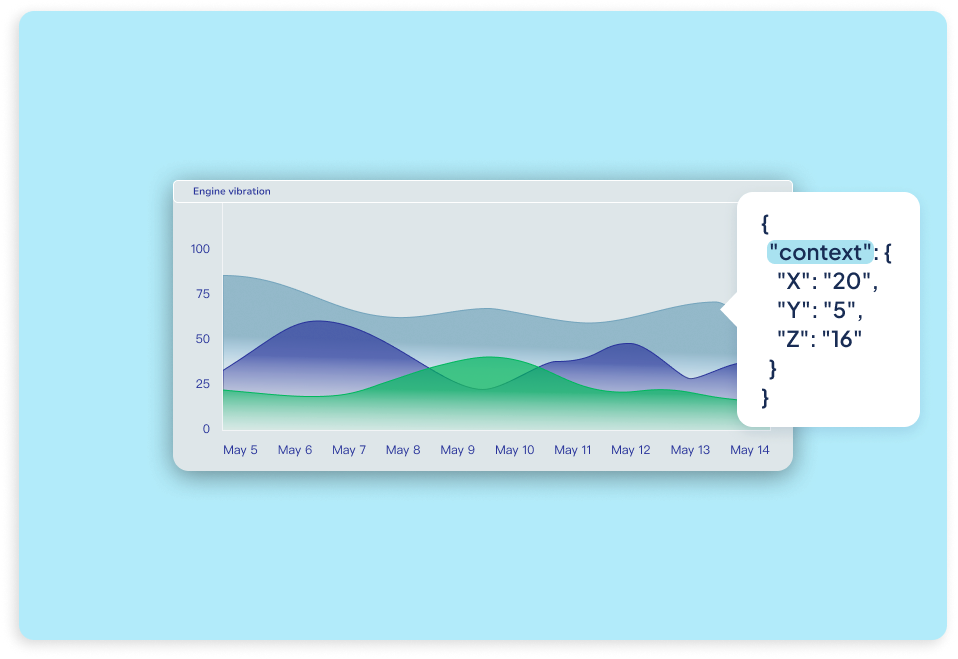
We've improved the Line Chart widget by introducing the option to have it work with context-based data, unlocking new ways to visualize rich, multidimensional measurements. You can now choose whether a line chart works from a variable’s value or from numeric fields stored inside its context, making it ideal for use cases like vibration analysis, frequency monitoring, or any scenario where multiple axes or related metrics are sent together in a single payload. This approach keeps measurements time-aligned, reduces dot usage, and delivers clearer insights without increasing data volume. Regardless of your application, context-aware Line Charts give you more flexibility to represent complex signals accurately, all while keeping dashboards clean, efficient, and easier to interpret.

Learn more.

Feb 2
2026
General 5 months ago

Availability Windows for Your Contacts

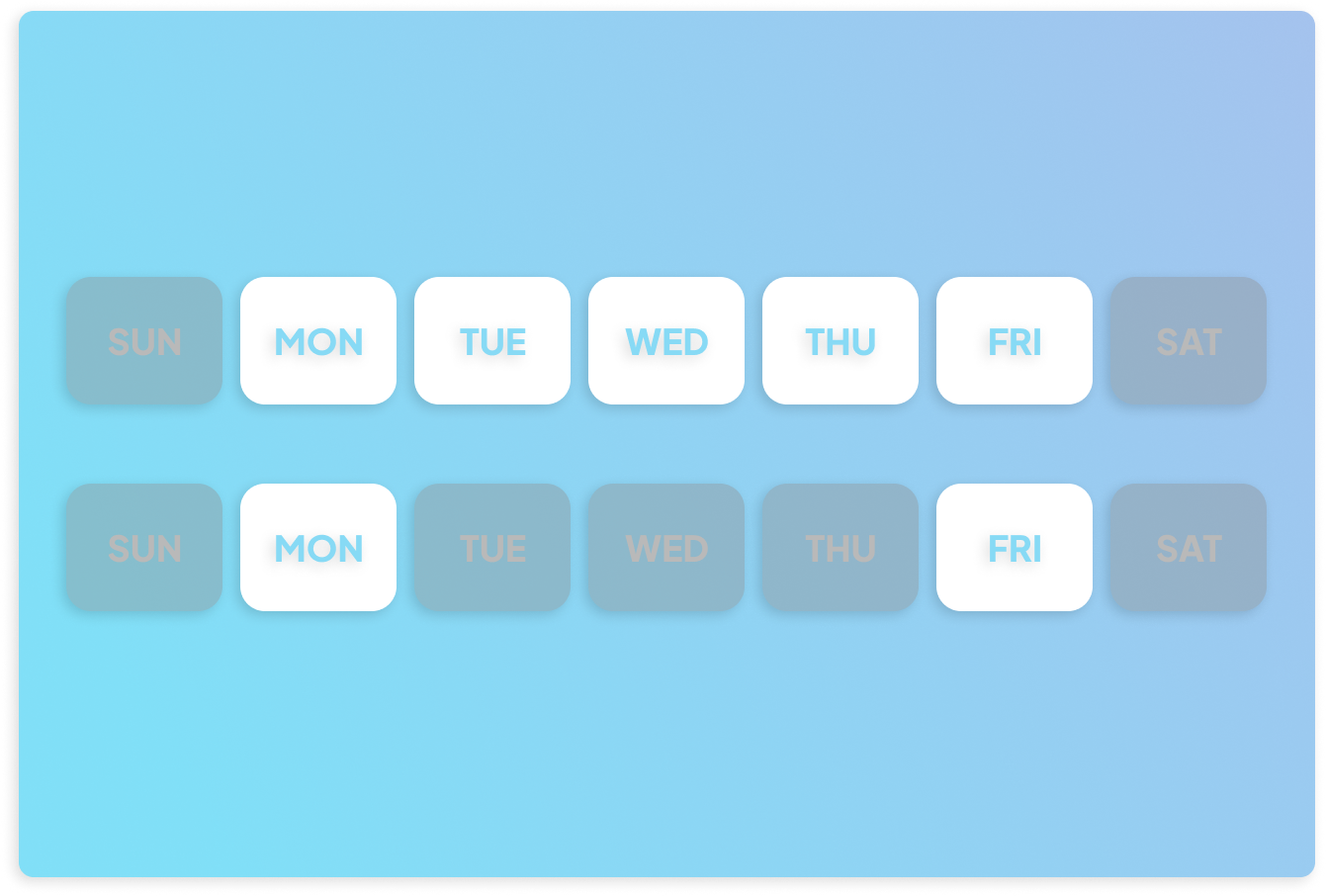
You can now fine-tune when and how your Address Book contacts are notified by configuring availability windows directly on each contact. This new option lets you define the days of the week, time ranges, and notification methods (email, SMS, or voice) during which a contact can be reached, ensuring alerts are delivered only when they’re relevant and actionable. Whether you’re routing incidents to on-call technicians during business hours or escalating issues after hours through a different channel, availability windows bring smarter, more intentional notifications to your workflows. Combined with the Notify User event action, this improvement helps making sure the right people are reached at the right time.

Learn more.

Feb 2
2026
Widgets 5 months ago

ECharts for the Gauge Widget

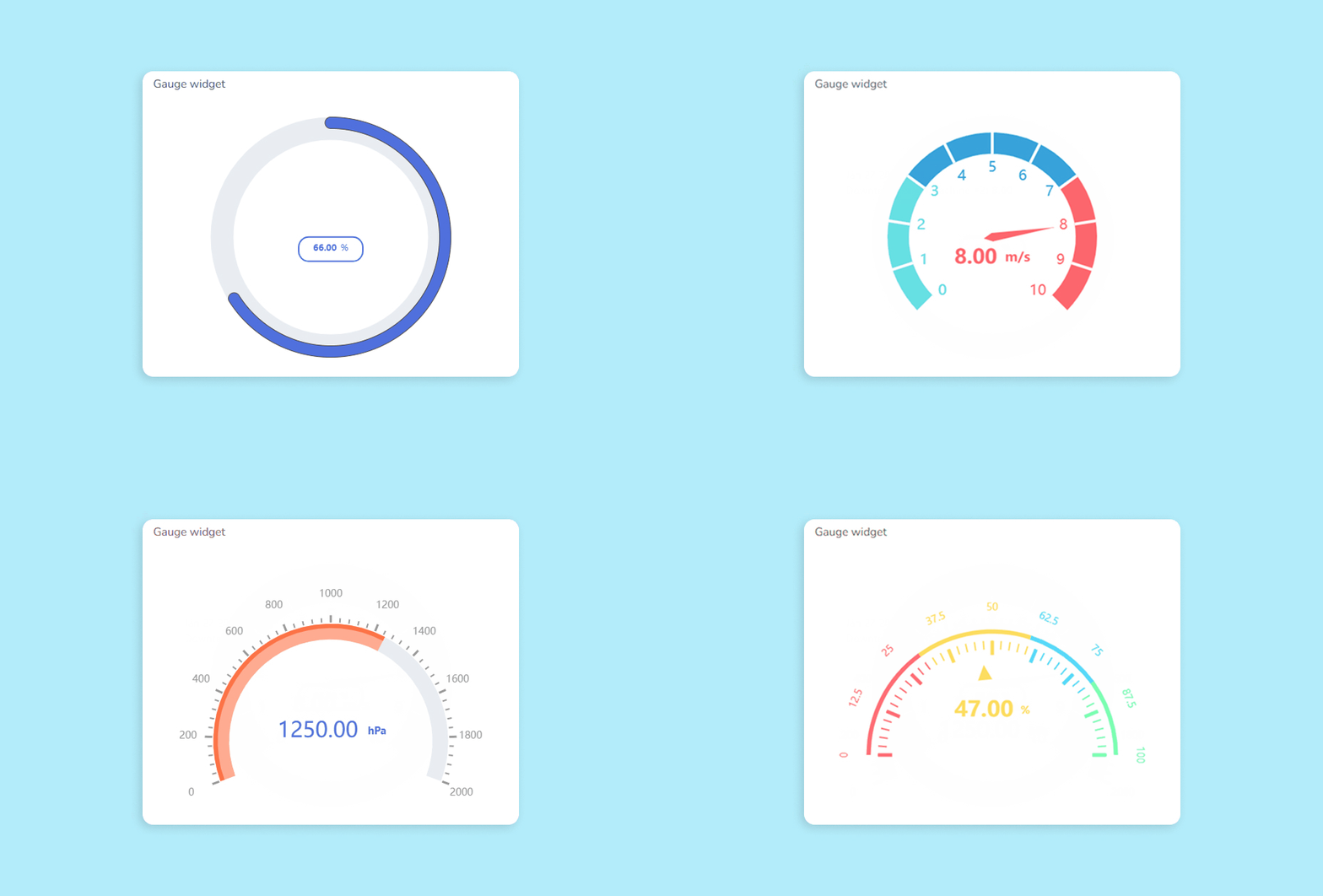
The Gauge widget just became significantly more flexible. It now supports ECharts configuration, unlocking a new level of control over how your gauges look and behave. Beyond the native settings, you can fine-tune visual details like angles, colors, ticks, labels, pointers, and much more to match your application’s design and monitoring needs. No matter your use case, ECharts lets you shape the gauge itself—not just its container—bringing the same advanced customization capabilities already available in Line Charts to one of the most widely used widgets in Ubidots.

Learn more.

Dec 29
2025
UbiFunctions 7 months ago

AI: Coding Assistant

As we wrap up the year and look ahead to what's next, we're excited to introduce one of our most forward-looking additions yet: the AI Assistant for UbiFunctions. Embedded directly in the function editor, this assistant understands the context of your code and provides real-time guidance to help you build, debug, and deploy faster. Whether you’re writing Python or Node.js, you can ask the assistant to review your logic, generate sample payloads, or suggest improvements. All without switching tabs or digging through documentation.

The AI Assistant is built with developers in mind. Each UbiFunction has its own chat thread, so your interactions stay focused and persistent. The assistant has been trained on Ubidots-specific knowledge and supported libraries, giving it the precision to help with everything from basic syntax to advanced use cases. With this new addition, writing and managing UbiFunctions just became smarter and a lot more seamless.

Learn more.

Dec 1
2025
General 8 months ago

Login Page Customization

The power of custom CSS now reaches your application's front door: the login page. Just like you’ve been able to style tables, sidebars, navigation bars, and other app components, you can now extend those same design standards to your login screen. From typography and spacing to backgrounds, buttons, and form elements, the login experience can now match the look and feel of the rest of your app.

This enhancement makes it easier to deliver a cohesive brand experience from the very first interaction. Whether you're aiming for a minimalistic layout or a bold color scheme, the new styling capabilities allow you to fine-tune the login page’s design without limitations.

Learn more.

Dec 1
2025
General 8 months ago

New MCP Tool

Following last month's announcement of our MCP server, we're now excited to introduce its latest tool: statistical aggregate functions, which give AI assistants even more power to reason over your data. From simple metrics like first, last, min, or max, to more advanced queries like mean, standard deviation, or even percentiles—your assistant can now answer questions like “Give me the 75th percentile of vibration for Motor A.” It’s a major step forward in transforming your raw data into instant, contextual answers.

Learn more.

Dec 1
2025
General 8 months ago

Lightweight Connectivity With CoAP Support

Ubidots now supports CoAP (Constrained Application Protocol) as a new method for sending data from your devices to the platform. Designed for low-power, resource-constrained environments, CoAP is ideal for devices operating over limited bandwidth or intermittent connections. Whether you're transmitting temperature, position, or contextual metadata, CoAP allows you to push data using compact messages and a minimal protocol overhead—without sacrificing the structure or reliability of your payloads.

Learn more.

Dec 1
2025
General 8 months ago

Ubidots LoRaWAN Network Server

Ubidots now offers a fully managed LoRaWAN Network Server (LNS), powered by ChirpStack, to simplify how your devices connect and communicate with the platform. This private, secure infrastructure enables seamless integration between LoRaWAN gateways, devices, and Ubidots—eliminating the need for third-party LNS solutions. Whether you're deploying a small-scale pilot or a region-wide industrial network, the Ubidots LNS provides the flexibility, scalability, and data governance control you need to run stable, compliant IoT operations with end-to-end visibility.

Learn more.

Dec 1
2025
Widgets 8 months ago

Text and Indicator Widgets, Improved

Two of our most traditional widgets, the Text and Indicator widgets, have been upgraded with new options to help you build more dynamic, interactive dashboards. The Text widget now supports clickable actions, allowing you to define what happens when users click or double-click on a message. Redirect users to other dashboards, specific devices, or even external URLs—all from a simple line of text. It’s perfect for guiding users through your dashboard flow or triggering context-aware navigation.

The Indicator widget, often used to monitor binary or threshold-based states, now includes improved layout and design controls. You can customize fonts, sizes, and alignment for each indicator, and choose how they’re arranged—horizontally, vertically, or automatically. These additions give you more precision over how your data is displayed, making it easier to deliver clear, visually consistent indicators that match your application’s design.

Learn more.

Nov 12
2025
General 8 months ago

Ubidots MCP Server: AI-Friendly Access to Your IoT Data

AI is rewriting how we work. 
Some fields have already felt the shock: marketing, support, coding, legal advise.... And while industrial monitoring has always felt too physical to automate, that’s starting to change. 
Because soon, we won’t be looking at dashboards. They’ll be the ones talking to us. Your system will say: 

“Pressure on Line 3 dropped 12% overnight. Want me to adjust the pump?”

No more endless charts or clicking through widgets; just machines that talk back when it matters.

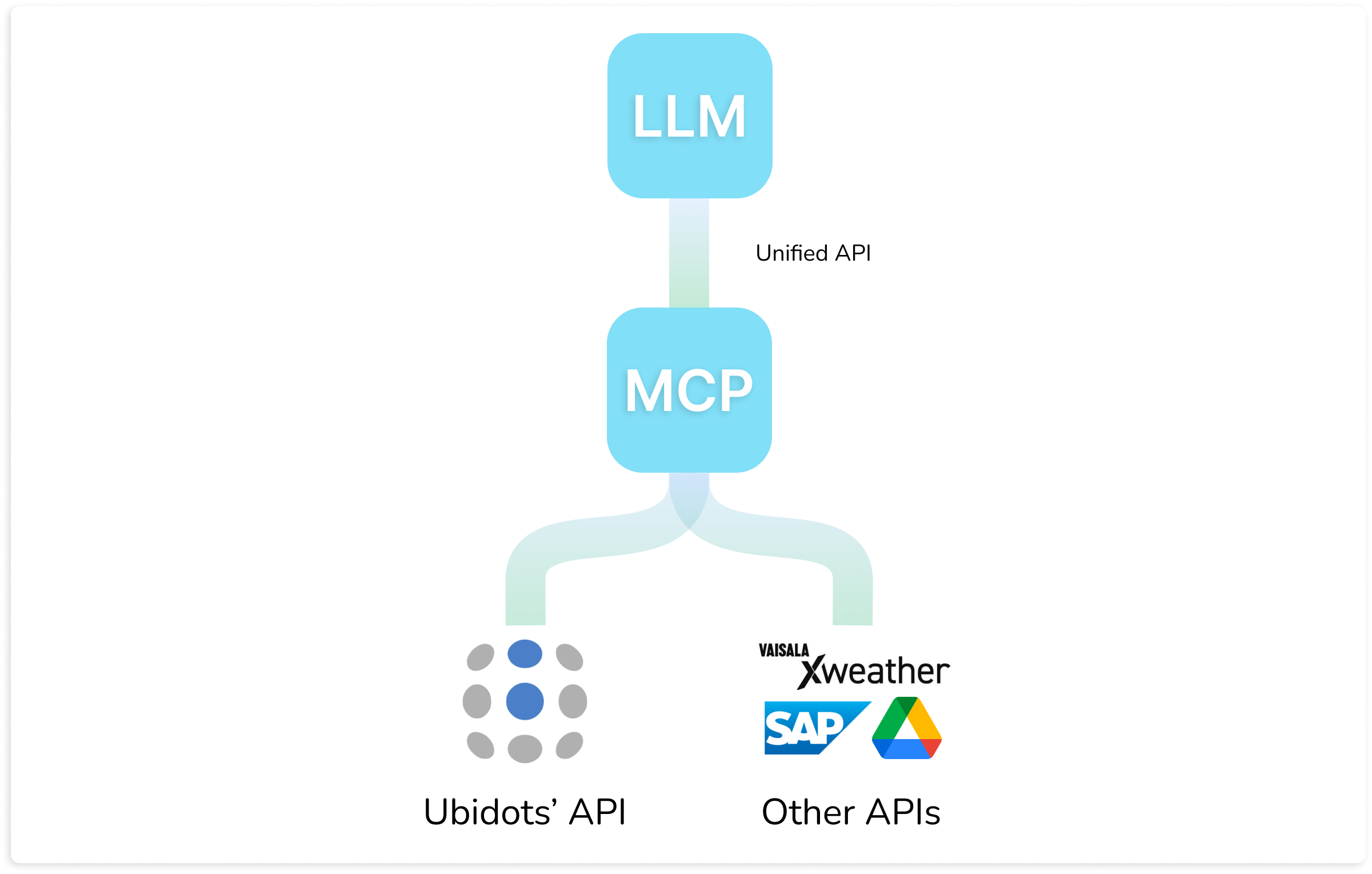
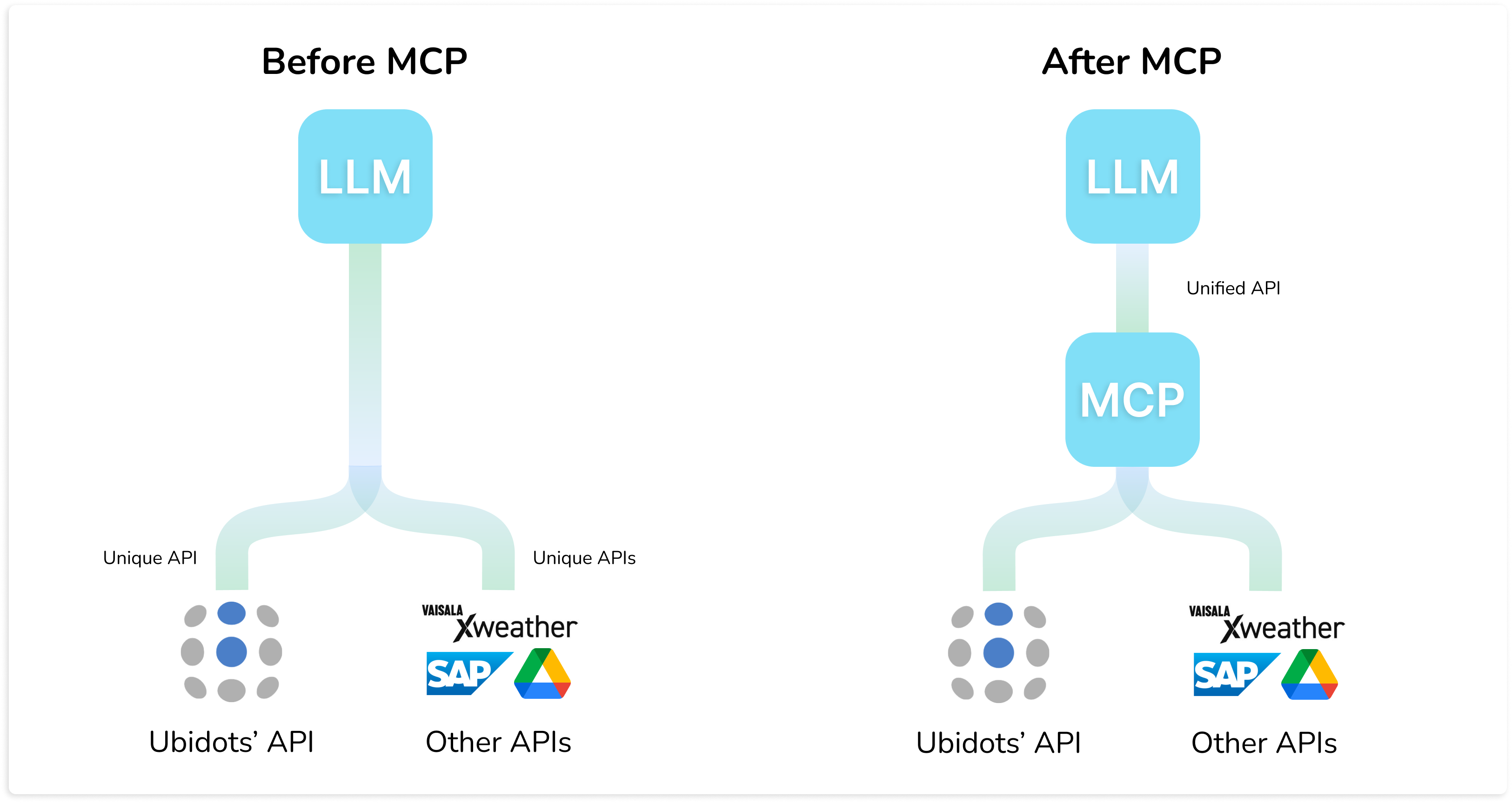
Enter the Model Context Protocol (MCP), a new standard that lets AI assistants connect directly to APIs, including Ubidots.

Before MCP, every API (Ubidots, XWeather, SAP…) needed its own custom integration with an LLM. Now, every API supporting MCP will talk a unified API language, with prebuilt "tools" that LLMs can dynamically call depending on the conversation context. Just attach our new Ubidots MCP to your next AI assistant and let your users interact with your IoT data through natural conversations.

Learn more.

Nov 12
2025
General 8 months ago

Mobile App: More Control, Alerts, and Customization

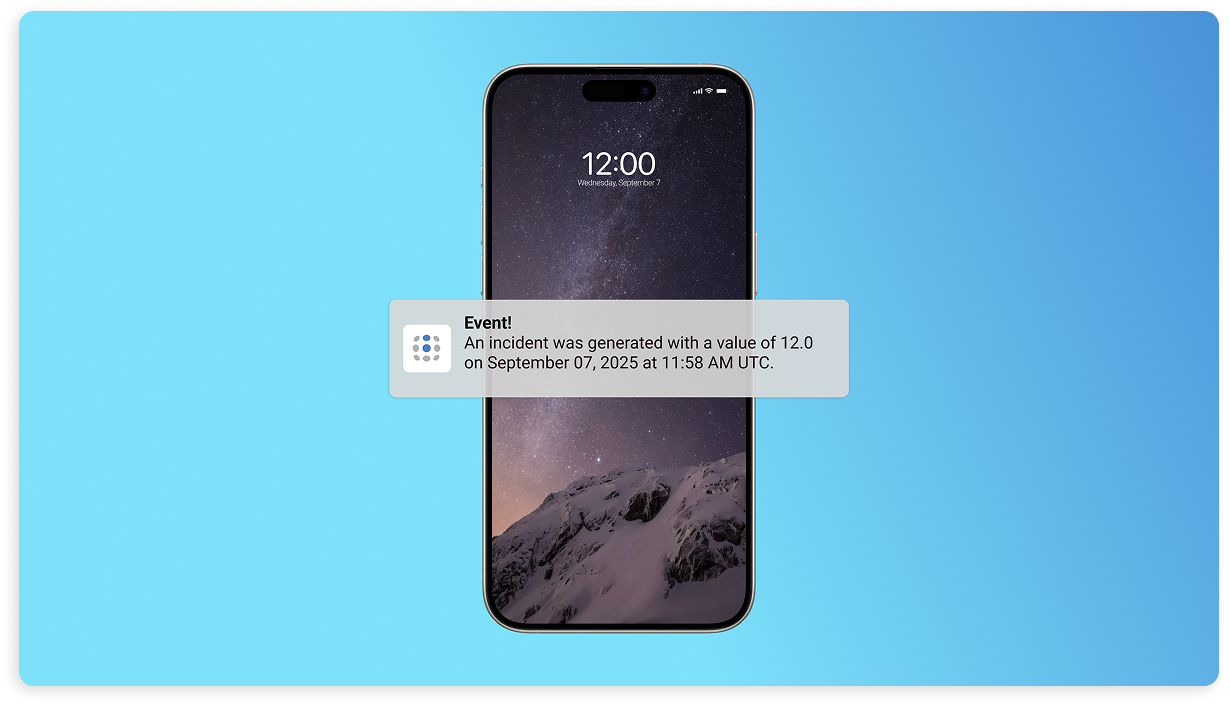
The Ubidots mobile app continues to evolve with new features designed to keep you connected and in control. You’ll now receive push notifications on your phone whenever an event is triggered, making critical alerts even harder to miss. Admin Users can now log into the app and take full advantage of all its capabilities, bringing better visibility to more members of your team. Dashboards are also easier to manage on mobile, thanks to the new ability to pin and unpin them from the dashboard list, letting you prioritize the ones you use most.

Additionally, you can now add widgets directly to the app’s Home screen, offering fast access to key variables without navigating through dashboards or devices. Whether you're monitoring sensor values, triggering alerts, or checking on critical infrastructure, this update makes the Ubidots app more powerful, responsive, and personalized… Right in the palm of your hand!

Learn more.

Nov 12
2025
Widgets 8 months ago

Add Notes to Your Line Charts

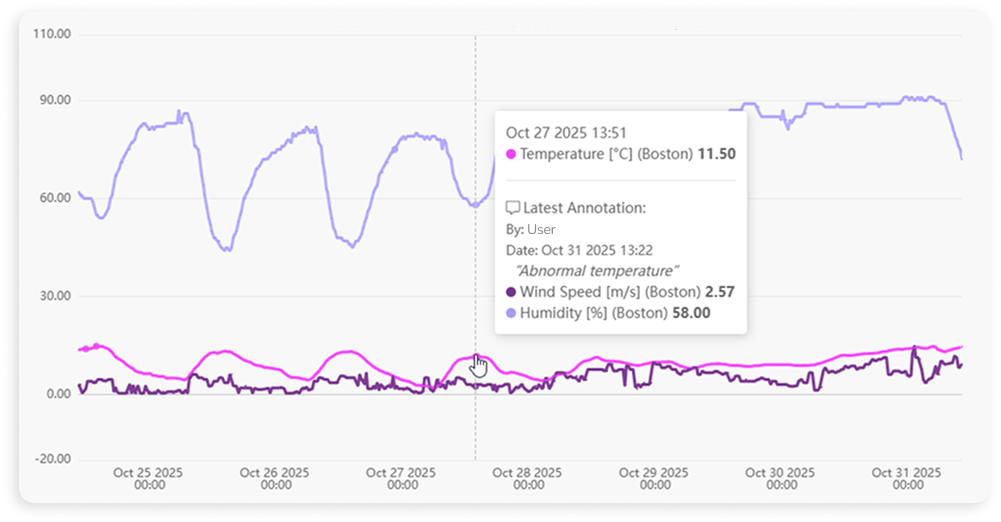
The Line Chart widget now supports annotations, allowing you to add notes directly to specific data points for added clarity and context. Whether you're marking an equipment failure, noting a manual override, or highlighting a spike in readings, these notes can be viewed instantly by hovering over the data point in the chart. It's a simple but powerful way to enrich your time series visuals with real-time insights, making your dashboards more informative and easier to interpret—especially when collaborating across teams.

Learn more.

Oct 1
2025
General 10 months ago

Custom CSS: Take Branding to the Next Level

Take full control of your application's visual identity with app-wide custom CSS. This new tool lets you style core components like tables, sidebars, navigation bars, accordions, and more, going far beyond the default branding settings. From fine-tuning fonts and colors to adjusting spacing and border radius, you can now shape a user interface that looks and feels exactly like your brand.

Whether you're designing a client-facing solution or aligning internal tools with your design standards, custom CSS makes it possible to deliver a consistent, polished experience across your entire app. Even elements like hover states and row selection in tables can be styled to your liking, ensuring every detail reflects your UI vision.

Learn more.

Oct 1
2025
Events 10 months ago

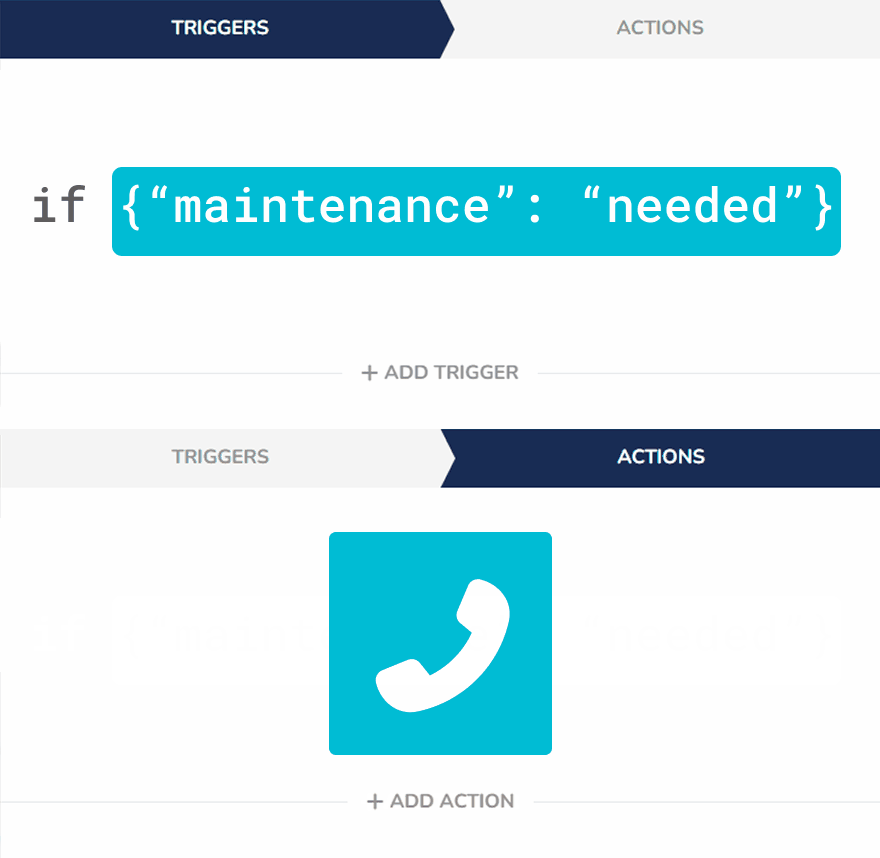
Smarter Alerts With Context-Based Events

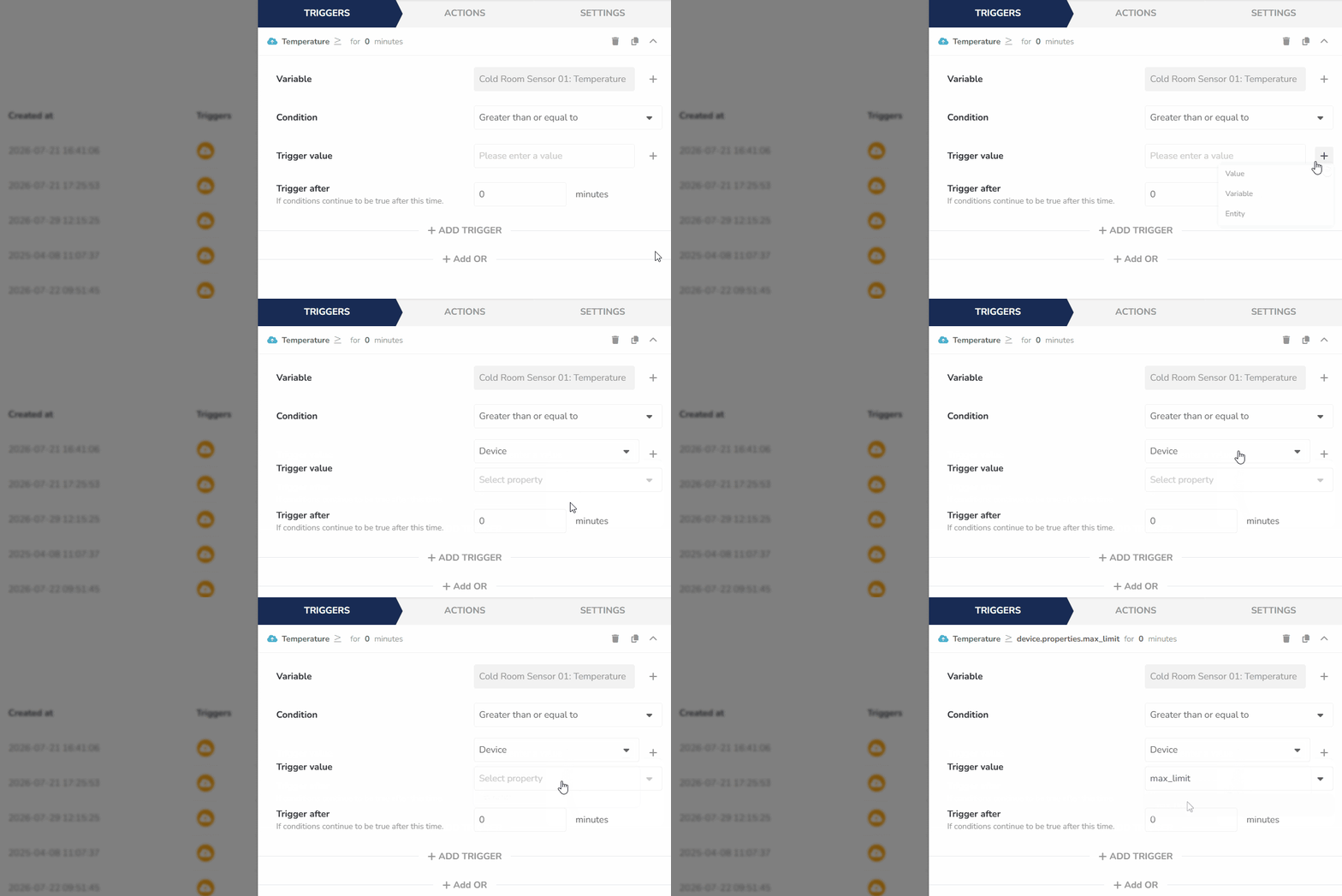
Ubidots events just got even more powerful. In addition to value-based conditions, you can now configure events to trigger based on the context of a variable. This means you can now activate alerts or actions not just when a value changes, but when additional information, like a device's status, meets specific criteria. 

Context-based triggers let you build smarter, more targeted automation. Just define the key and condition—such as iscontains, or is not—and let your application respond dynamically to the metadata you’re already sending. It's a flexible way to enhance decision-making without adding complexity to your data model.

Learn more.

Oct 1
2025
Dashboards 10 months ago

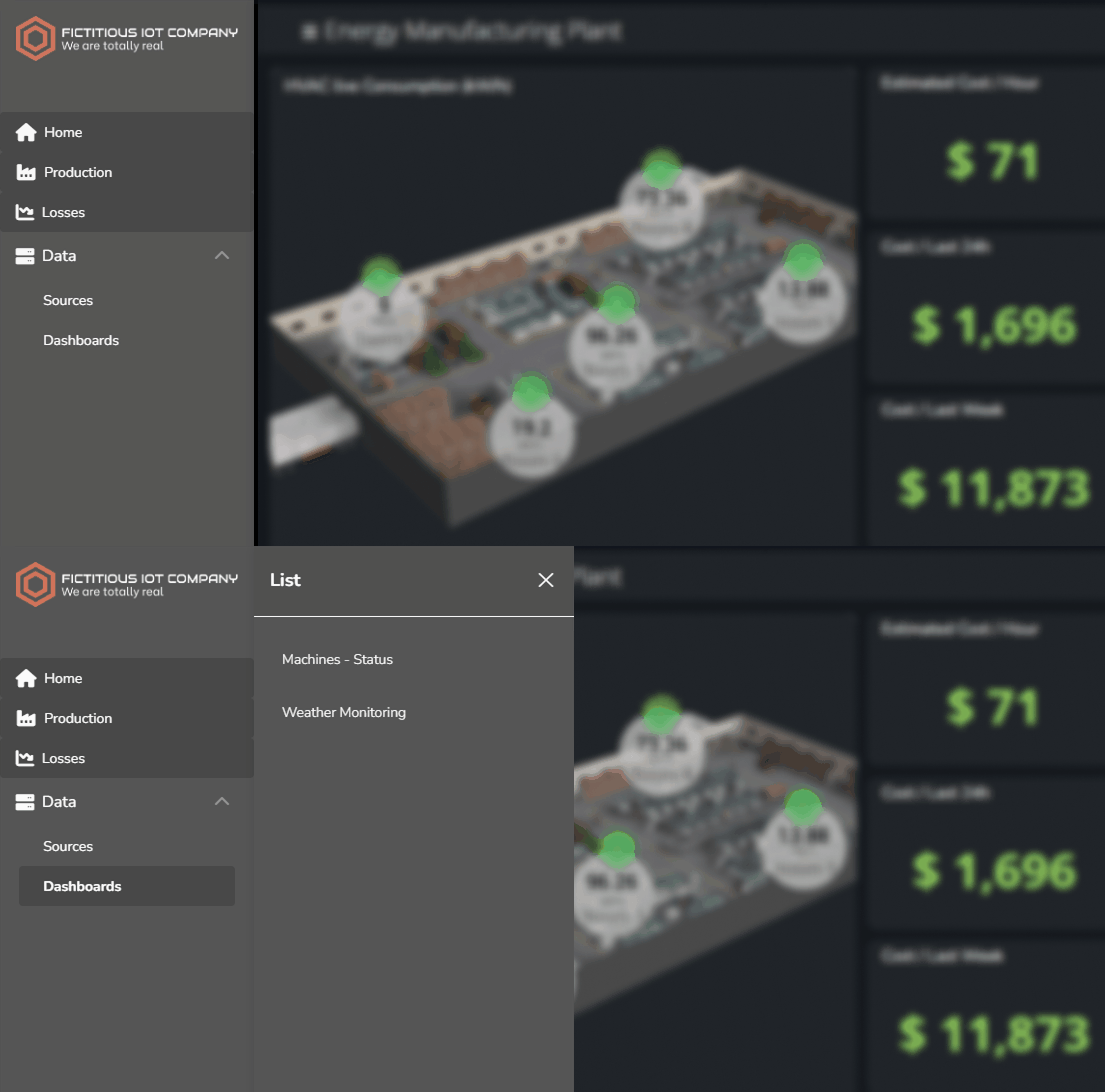
Boost Your Navigation With Submenus

You can now add submenus to the lateral version of the navigation menu, making your app’s navigation even more flexible and organized. These submenus can house additional buttons and be either static or dynamic, giving you the ability to offer fixed content or load user-aware, real-time information directly from an API or UbiFunction. Whether you’re grouping management tools, providing quick access to dashboards, or surfacing external resources, aside panels let you expand your menu without cluttering the main view, creating a smoother and more efficient experience.

Learn more.

Oct 1
2025
Dashboards 10 months ago

Filters in Layers and Public Dashboards

You can now apply filters to specific layers in your dashboards, giving each tab its own tailored data view. This allows you to quickly compare different layers based on their filtered data or just have the flexibility to add filters to one layer instead of the whole dashboard. Additionally, filters are now also displayed in publicly shared dashboards, helping you deliver clearer information to external audiences.

Learn more.

Aug 29
2025
Events 11 months ago

Keep Everyone in the Loop With Address Book

Managing who gets notified during key operational events just got easier. With the new Address Book feature, you can now create and manage a list of contacts—people who need to stay informed but don’t require full access to your platform. Whether it’s a field technician, client, or external stakeholder, these contacts can be assigned to events and receive notifications via email, SMS, or voice call, right when they’re needed.

Combined with the Notify User event action, Address Book makes it seamless to target the right people at the right time. Just create contacts and edit them whenever their information changes, instead of modifying events one by one. This reduces friction and ensures consistent communication, helping you keep operations running smoothly without overcomplicating user management.

Learn more.

Aug 4
2025
Devices 11 months ago

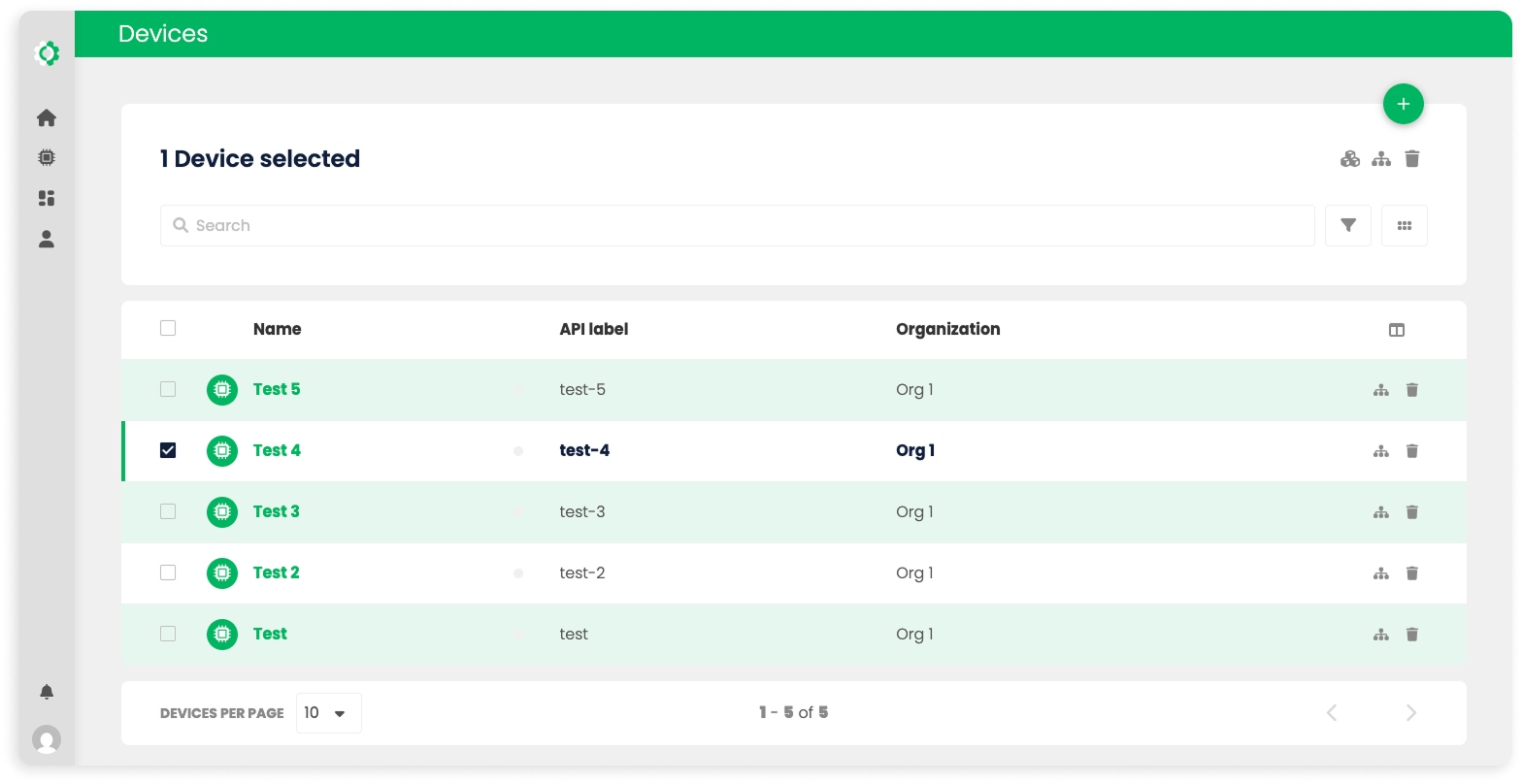
Turn Devices Into Device Types

It's now possible to create a Device T📈ype directly from an existing device, making it easier to replicate configurations across your fleet. This new capability lets you reuse properties, raw and synthetic variables, tags, and specific settings from a configured device; streamlining deployments and reducing setup time. Perfect for scaling faster, without sacrificing precision.

Learn more.

Aug 4
2025
UbiFunctions 11 months ago

Downloadable Functions

You can now download the full code of your UbiFunctions as a Zip file, making it easier to back up, share, or version-control your custom logic. Whether you're collaborating with teammates or simply documenting your work, having your code packaged and ready to go helps streamline development and maintain flexibility in how you manage functions.

Learn more.

Aug 4
2025
Dashboards 11 months ago

Mobile Layers

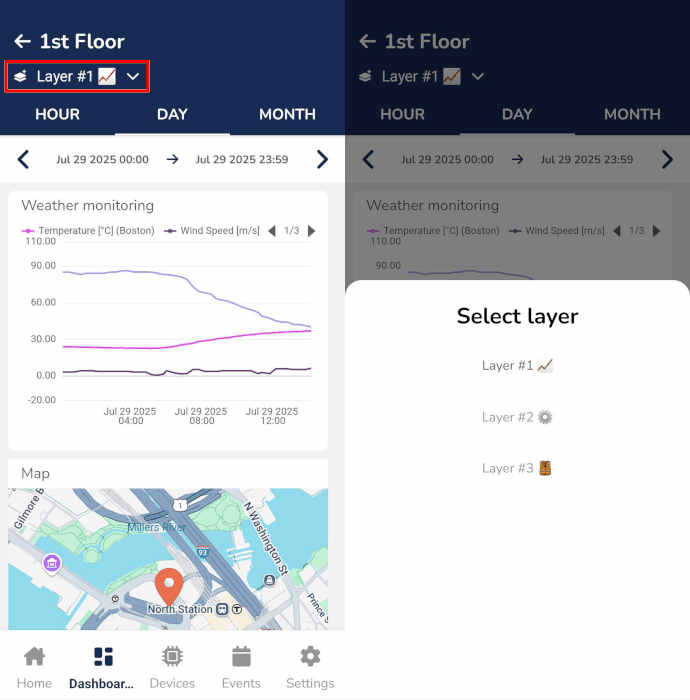
Navigating dashboard Layers is now fully supported in the Ubidots mobile app, giving you seamless access to organized views and operational areas right from your phone. Whether you're on-site or on the move, this improvement helps you switch between layers with ease, keeping your monitoring experience fluid, efficient, and always within reach.

Learn more.

Jul 3
2025
Security 1 year ago

New Security Feature: Login Lockout

We’re excited to introduce Login Lockout, a new security feature that helps protect your Ubidots-powered applications from brute-force attacks and repeated login attempts. With this feature, you can define how many failed login attempts are allowed before temporarily blocking access to an account, and set how long the lockout lasts. It's fully configurable and adds a layer of defense to your app’s authentication flow.

By limiting repeated login attempts, it helps keep malicious actors out while giving peace of mind to your users and your team. With Login Lockout, reinforce your app’s security with just a few clicks.

Learn more.

Jul 3
2025
General 1 year ago

Track End-User Login Activity

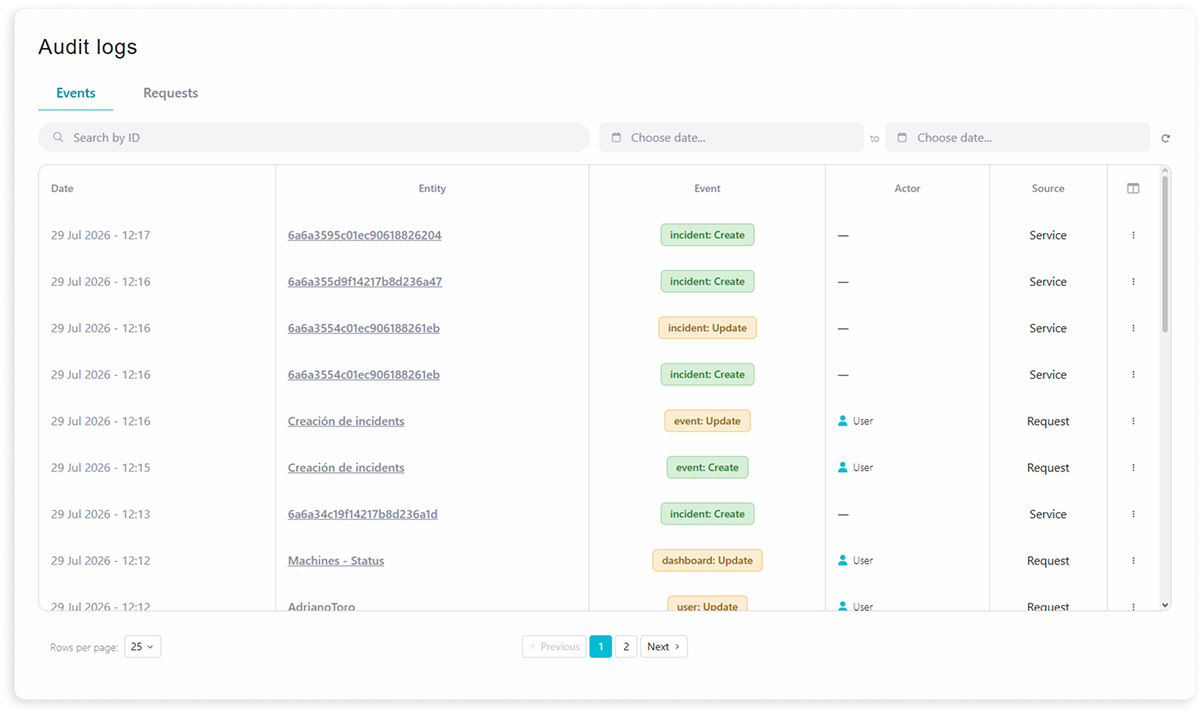
End-user login activity is now included in Audit Logs, giving you greater visibility into who’s accessing your applications and when. This added layer of transparency helps you monitor user behavior, detect suspicious patterns, and meet compliance requirements more effectively—all from a centralized module.

Learn more.

Jul 3
2025
Widgets 1 year ago

Duplicate Widgets Across Dashboards

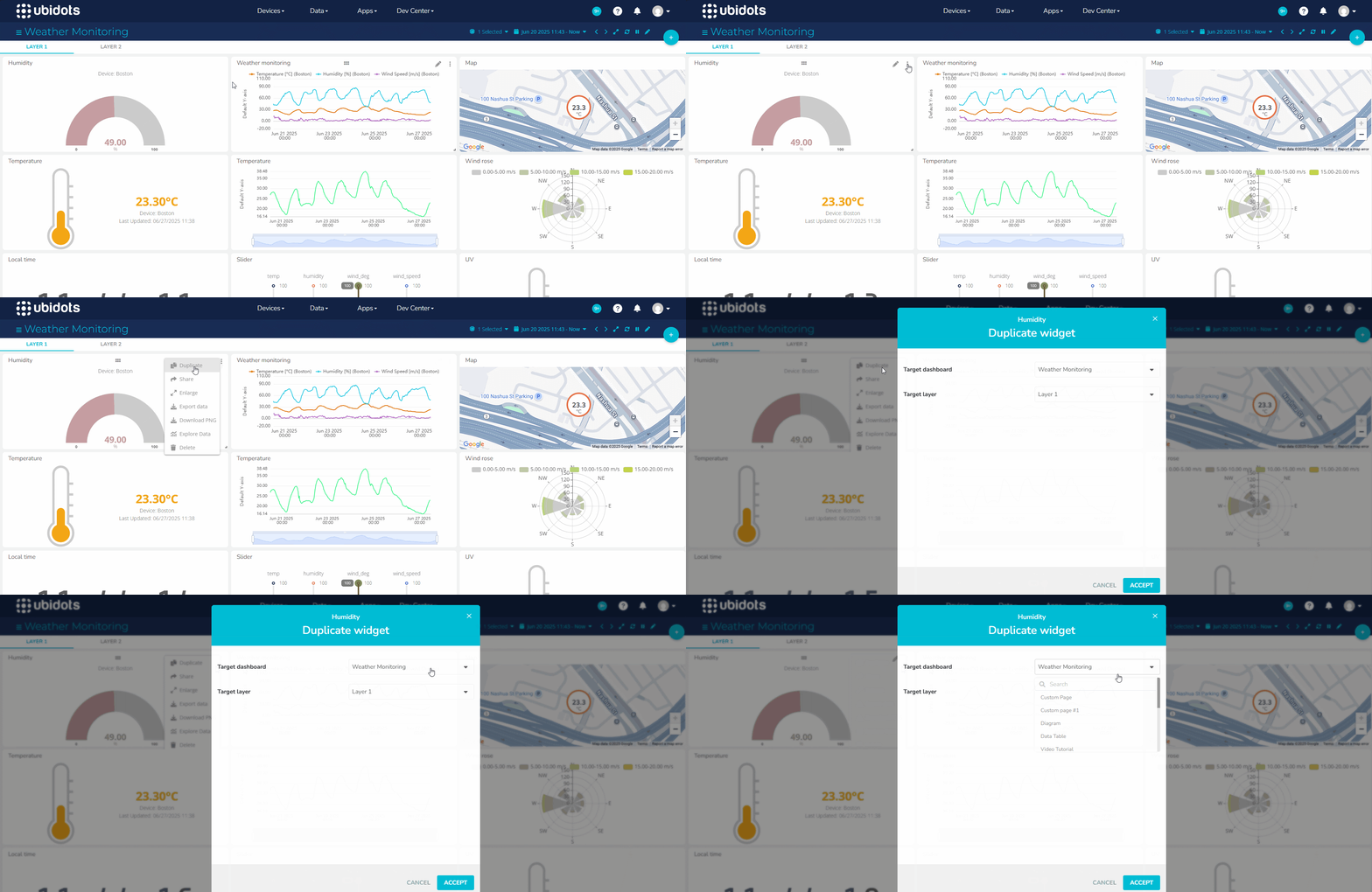
You can now copy widgets across dashboards, making it easier than ever to reuse visualizations throughout your monitoring applications. Whether you're standardizing layouts across clients, creating variations of a dashboard, or building out new views for different teams, this improvement helps you save time and maintain consistency.

Learn more.

Jul 3
2025
Dashboards 1 year ago

More Configuration Options for Layers

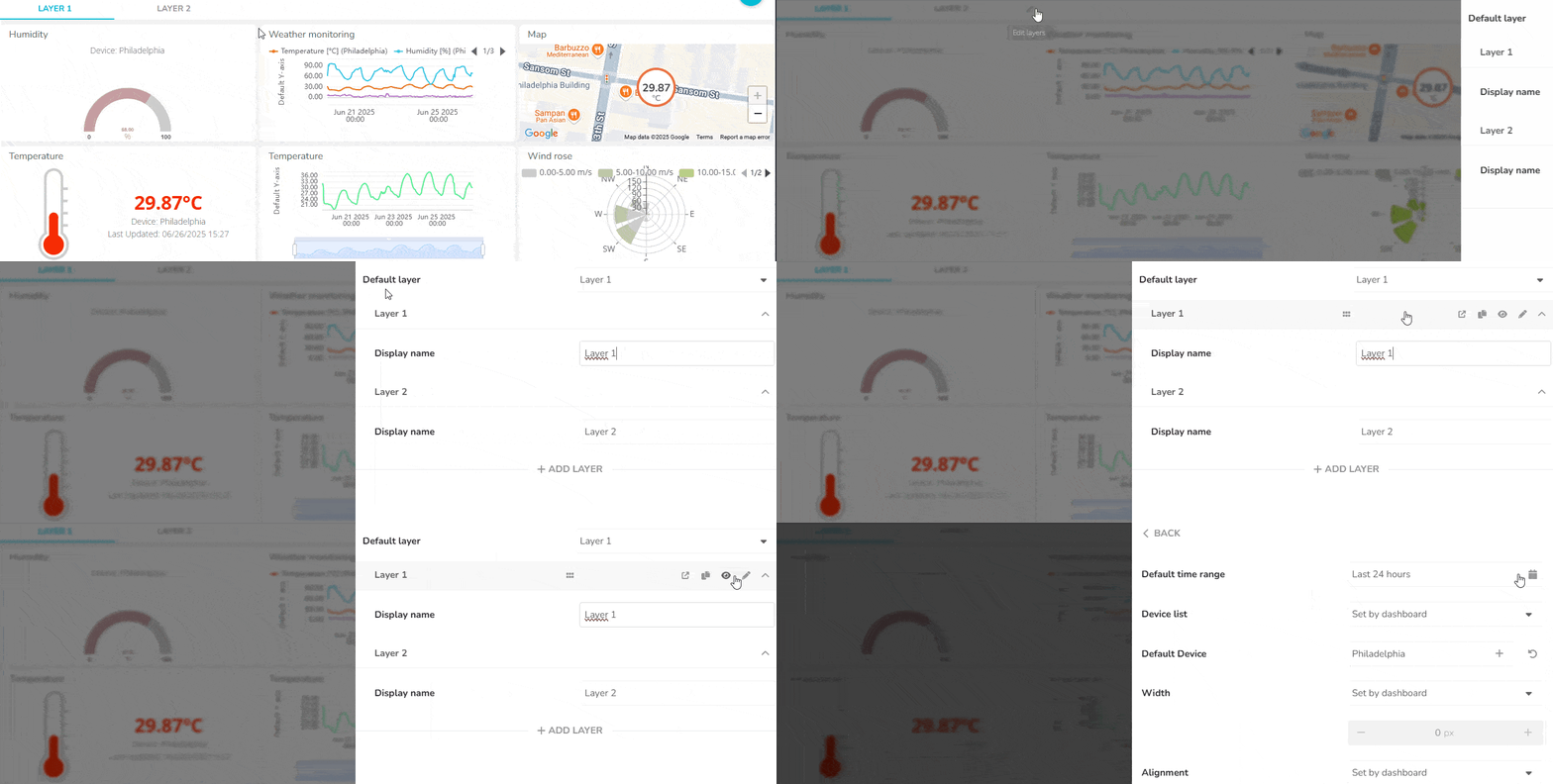
Dashboard Layers now offer even more control, letting you define which devices appear in each layer’s device picker (in dynamic dashboards) and set a default time range for the data displayed. This means you can tailor each layer to show only the most relevant information for your team—whether you're focusing on a specific set of devices or zooming into a precise time window. The result? Smoother navigation, faster insights, and dashboards that adapt to your operational needs.

Learn more.

Jun 3
2025
Dashboards 1 year ago

New Styling Options Make Layers Even More Flexible

Layers have become a go-to feature for teams managing complex operations. By turning your dashboard into a hub of clickable tabs, Layers let you group related views, device pages, and external tools—all in one place. This keeps your workspace clean, focused, and easy to navigate, helping you stay on top of operations without jumping between dashboards.

And now we’ve taken it a step further. In response to your feedback—and staying true to our goal of flexibility—you can now style the Layers tab bar to match your brand or visual preferences. Customize colors, font sizes, and even the shape of the tabs to make your dashboards feel more aligned with your team's identity.

Learn more.

Jun 3
2025
Security 1 year ago

Protect Your App With reCAPTCHA

Keeping your end-user applications secure is more important than ever. That’s why Ubidots now supports adding a reCAPTCHA field to your app’s login page. This simple but powerful feature helps prevent automated attacks like credential stuffing and bot intrusions, ensuring that only real users gain access. Whether your app serves customers or internal teams, reCAPTCHA adds an extra layer of protection without disrupting the user experience.

Learn more.

Jun 3
2025
Widgets 1 year ago

Highlight Data Gaps in Your Charts

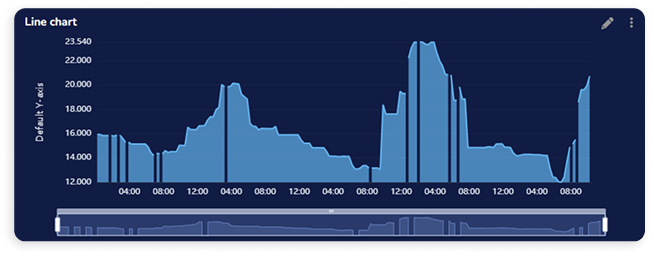
Line charts just got smarter. You can now configure your Line Chart widget to display gaps when no data is received within a set time interval—making data absence as meaningful as its presence. This new option allows you to define, per variable, how many seconds must pass between two data points before a gap is shown. It’s a powerful way to highlight interruptions in your data flow and better understand system behavior over time.

Learn more.

May 5
2025
General 1 year ago

Keep IoT data beyond our traditional 2-year retention

Storing high-frequency, time-series data in hot storage can quickly become costly and inefficient—especially for operations that depend on continuous sensor readings, device telemetry, or industrial metrics. For many, maintaining long-term access to this volume of data has meant difficult trade-offs between performance and price, often leading to data being purged or inaccessible for deeper analysis when it’s needed most. 

However, in the era of Machine Learning and AI, storing years time-series data is no longer optional—it’s essential. Historical data fuels predictive models, uncovers patterns, and powers feedback loops that make systems smarter and more responsive over time. With Ubidots’ new cold storage Data Export feature, you can cost-effectively store and retrieve large volumes of data, ensuring that nothing is lost and everything is available when your algorithms—and your business—need it most.

Available as an add-on, Data Export allows you to store and retrieve large volumes of historical data beyond our traditional 2-year retention. Whether you need to comply with industry regulations, run internal audits, or train advanced analytics models, Data Export gives you direct access to your backups through a simple interface, with downloads available in Parquet format for seamless integration into your data workflows.

Learn more.

Apr 30
2025
Dashboards 1 year ago

Layers, Improved

We’ve enhanced our Layers feature to make your workflows even more seamless: you can now duplicate layers with a single click and share them externally. These upgrades simplify the creation of consistent, reusable layouts and make it easier to collaborate with teammates or stakeholders outside of Ubidots. Whether you're building custom dashboards or linking to third-party tools, Layers now offer even greater flexibility and reach.

Learn more.

Mar 30
2025
General 1 year ago

Introducing Text Rules

We’re also excited to introduce Text Rules, a new feature designed to make your Ubidots applications more intuitive and user-friendly. With Text Rules, you can easily customize default terms like DeviceVariable, or Dashboard to match the specific vocabulary of your project. Whether you're building an application for engineers, operators, or healthcare professionals, Text Rules ensure that your users see language that makes sense to them.

This feature allows you to define global rules that automatically replace predefined terms across your app, offering a clearer, more consistent experience for your users. By aligning key terms with your project's context, you’ll enhance clarity and usability, no matter the audience.

Learn more.

Mar 30
2025
Widgets 1 year ago

The New Collection Widget Is Here

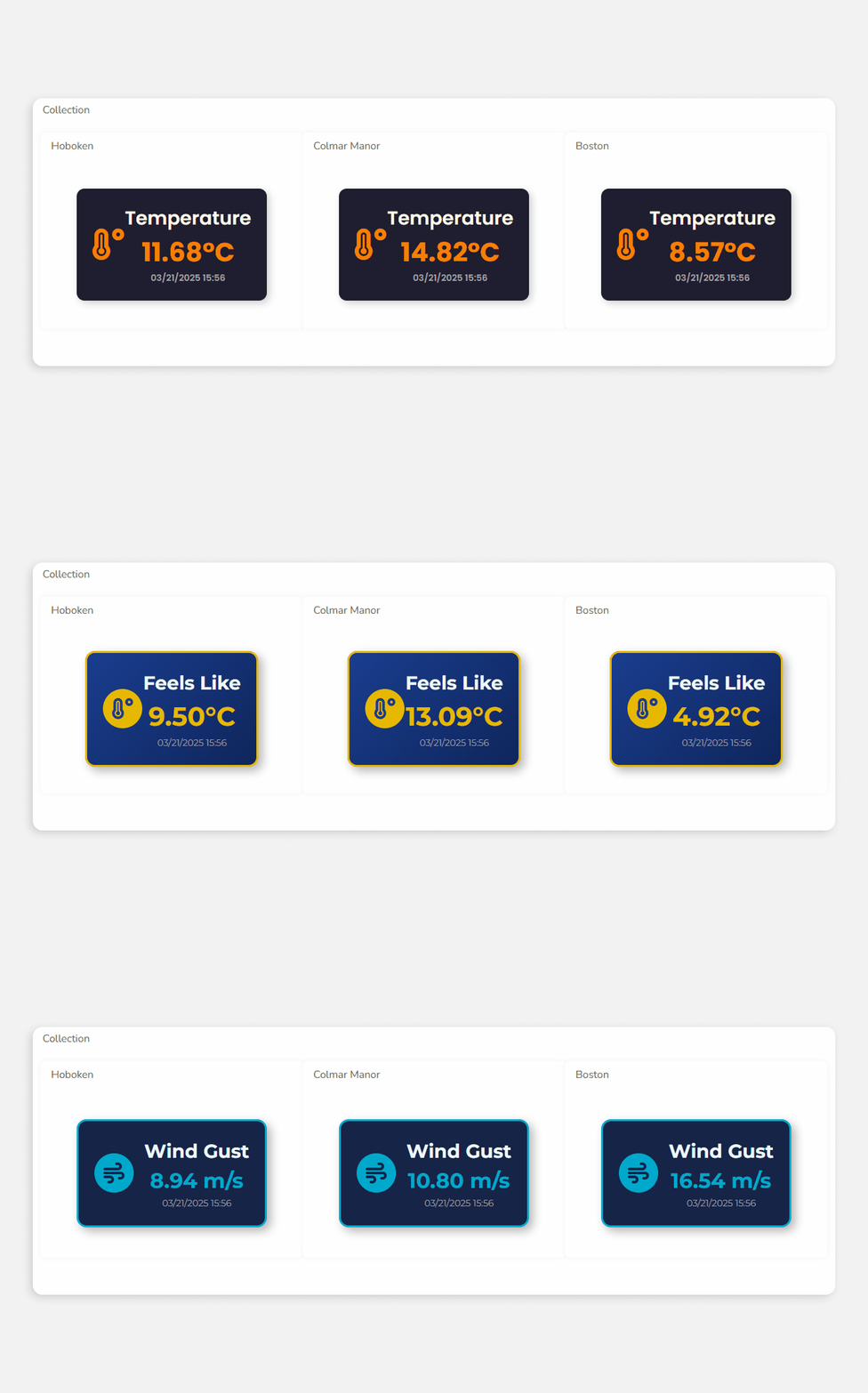
We’re thrilled to introduce the Collection widget, a new addition to the platform that makes data visualization more efficient and consistent. The Collection widget allows you to automatically replicate an existing widget to display data from multiple devices, without having to create each copy manually. Ideal for scenarios like tracking the Overall Equipment Effectiveness (OEE) of every machine in a factory, this feature saves time and ensures uniformity across your dashboards.

Each copy within the Collection widget inherits the original’s style, color logic, and configuration, maintaining a consistent visual experience. Say goodbye to repetitive widget creation and enjoy a smoother, more automated visualization process.

Learn more.

Mar 30
2025
General 1 year ago

MQTT Sparkplug Is Now Supported

Industrial IoT systems thrive on data — sensor readings, equipment statuses, and machine performance metrics flowing constantly across networks. Ensuring that this data is reliable, organized, and scalable is crucial. That’s why Ubidots now supports MQTT Sparkplug.

Sparkplug builds on MQTT’s lightweight and efficient data delivery, adding the structure and standardization needed for complex IIoT environments. It introduces a unified payload format and structured topic namespace, making it easier to integrate new devices and maintain consistency across large-scale deployments.

One of the key benefits of Sparkplug is its plug-and-play scalability. Once a device follows Sparkplug’s rules, it can be added without complex configuration changes. This standardized approach also reduces development time, as there’s no need to build custom logic for data parsing or device integration.

Sparkplug’s use of efficient encoding formats also means reduced bandwidth consumption, a critical advantage in remote or bandwidth-limited environments. This optimized data transmission ensures that only relevant changes are sent, improving overall performance.

With Ubidots now supporting MQTT Sparkplug, your IIoT applications become more streamlined and scalable.

Learn more.

Feb 28
2025
General 1 year ago

Introducing Lexicon

Following last month's addition of the "Dev Center" section to the navbar, we're now announcing the introduction of "Lexicon", a module designed to help you streamline your workflows and maintain consistency across your operations.

Inside Lexicon, you can now find the Global Properties tool —which allows you to store and manage key global variables— and in the future it will also house more global configuration tools to give you greater control and flexibility over your application.

Learn more.

Feb 28
2025
UbiFunctions 1 year ago

Introducing File Storage

Elevate your workflows with a dedicated file storage service that can be used with your Ubidots functions. This feature lets you store, retrieve, and manage files seamlessly through a dedicated API, enabling advanced solutions without worrying about limited or temporary storage.

Store your machine learning models for real-time inference. Collect and maintain datasets for custom analytics. Preserve configuration files that have to be used again in the future. Simply put, the new File Storage API opens up a world of possibilities to enrich the capabilities of your applications.

Here are some key highlights of this new service:

  • Permanent Storage: Files remain available for as long as you need them.
  • Easy to Use: Upload and manage files with simple GET, POST, and DELETE methods. This makes data handling straightforward and efficient.
  • Secure Access: All file transactions run over secure endpoints, protecting both your data and the integrity of your workflows.
  • Versatile Use Cases: From ML models to reference datasets, any file that can enhance your project’s value can be safely stored for immediate or scheduled access.

File Storage seamlessly fits into your existing workflows, broadening your possibilities when building robust solutions. By combining the power of serverless computing with persistent file access, your applications can now reach new levels of sophistication and reliability.

Learn more.

Feb 3
2025
General 1 year ago

Events Tab in the Mobile App

We’re also introducing a new “Events” tab in the Ubidots’ mobile app. With it, quickly review event details, gain access to their complete logs, and make sure nothing goes unnoticed—even when you’re on the move.

Learn more.

Feb 3
2025
General 1 year ago

New Login Page

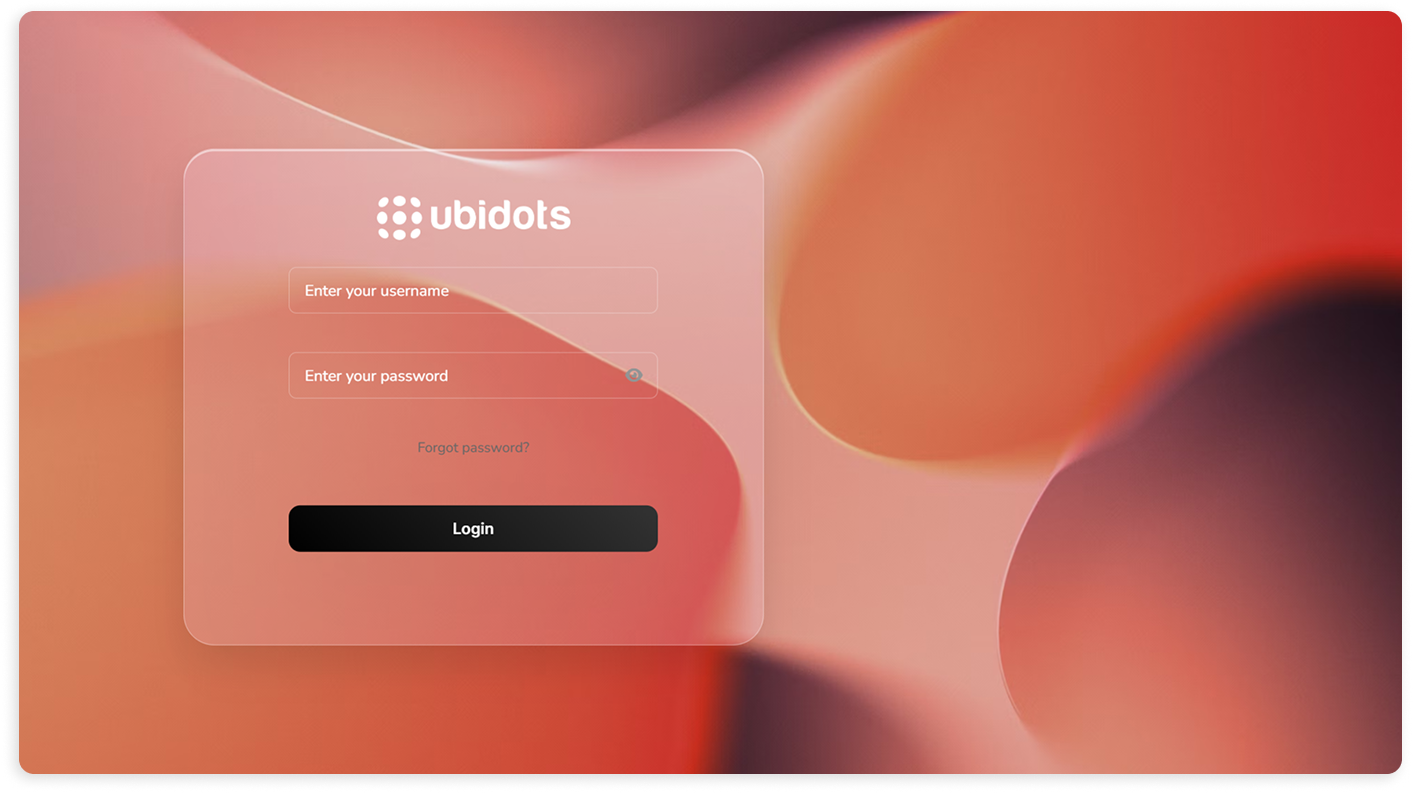
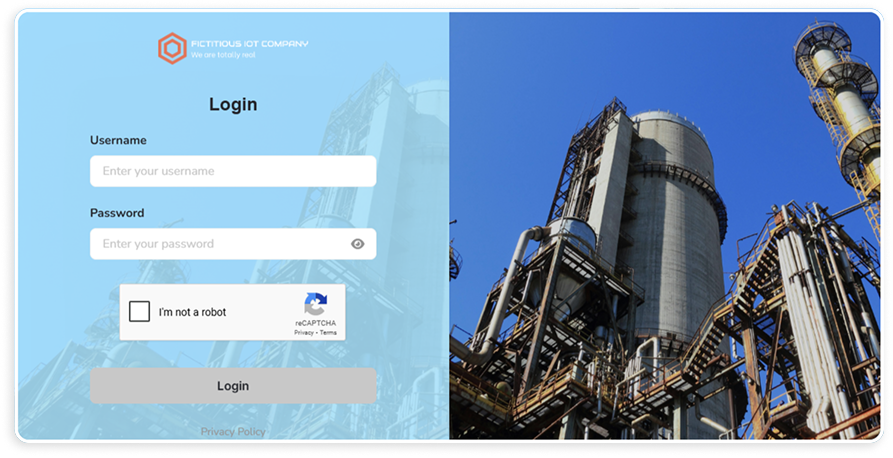
We’re also thrilled to present the new login page, bringing a fresh and modern look to your Ubidots experience. While maintaining all the familiar elements and functionality, the new design offers enhanced aesthetics and can still be customized to match your app’s unique branding.

Prefer the classic look? No problem. The update is entirely optional, giving you the flexibility to choose what best suits your business.

Learn more.

Feb 3
2025
UbiFunctions 1 year ago

Better Functions

This Functions update brings two new ways to simplify your development workflow. First, you can now directly upload files from your computer. This addition makes it easy to include any assets you rely on for your business logic. For example, this enables scenarios like adding a Machine Learning model in a binary file (.ipk, for example), which was previously not possible.

Second, you can rearrange files and folders by simply dragging and dropping them within the Files pane. This new feature keeps everything organized and accessible, reducing clutter and helping you locate resources faster.

Both enhancements boost productivity and make Functions more flexible for a wide range of use cases. Spend less time wrestling with file management and more time building impactful solutions.

Learn more.

Feb 3
2025
Dashboards 1 year ago

Pages: Fully Customized Frontend Development

We’re thrilled to announce the new Pages module, where you’ll be able to create custom visualizations to be showcased in your dashboards, using HTML, CSS, and JavaScript. Create stunning pages without leaving Ubidots.

This feature also brings a small but important addition to the platform’s interface: there is now a drop-down menu called Dev Center in the navbar, gathering all development tools under one convenient location. This menu gives quick access to Functions, Pages, and Plugins.

Learn more.

Jan 2
2025
General 1 year ago

Introducing Dashboard and Device Layers

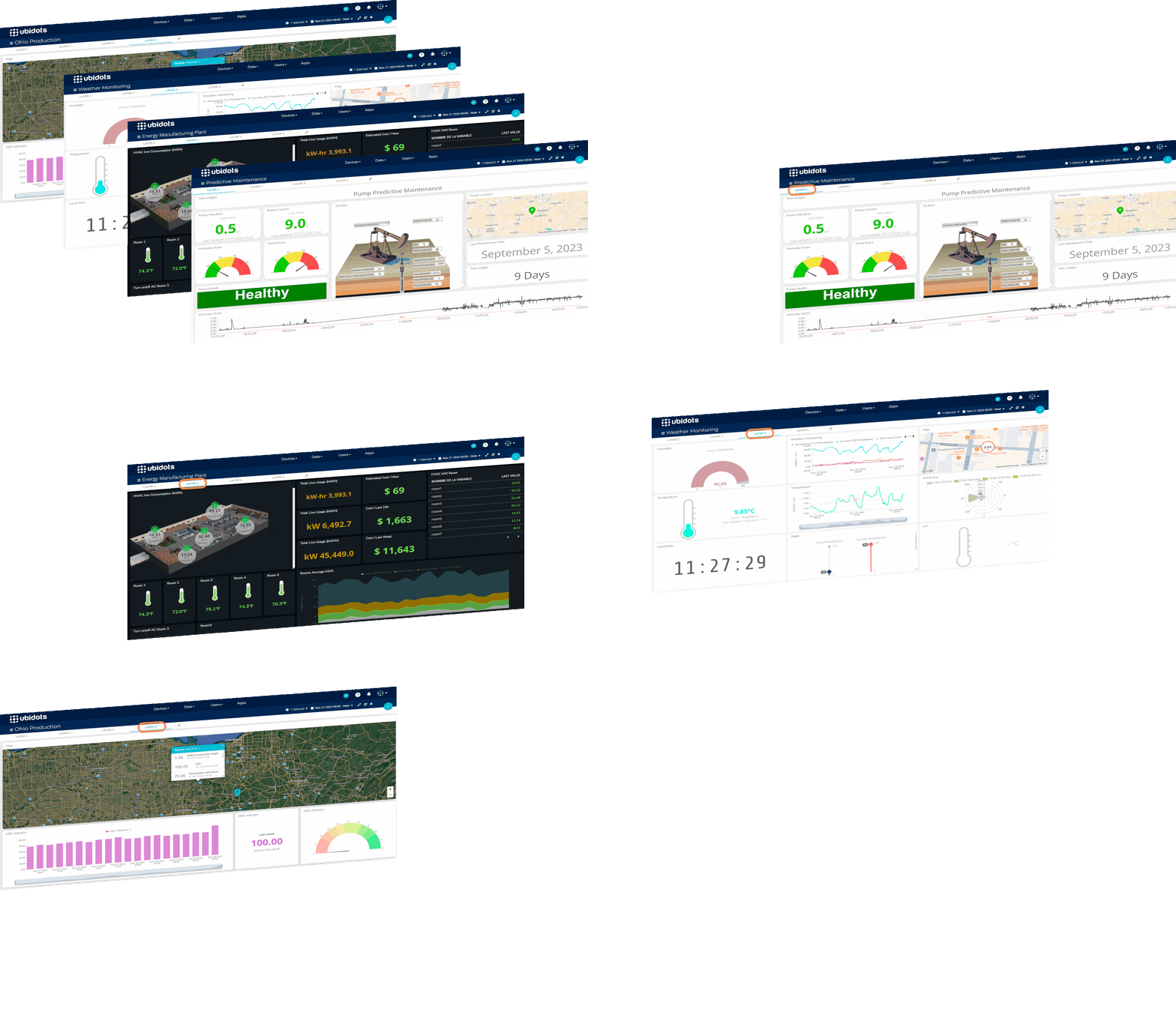
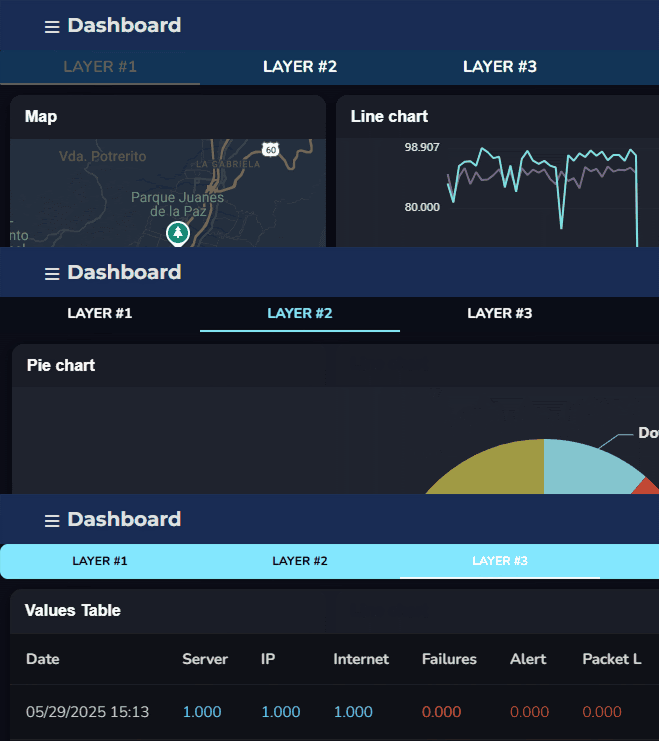
We’re thrilled to announce Layers, a game-changing feature that adds depth and flexibility to your dashboards and device pages. With Layers, you can organize your content into tabs that act as doorways to other Ubidots pages or external third-party resources.

Here’s why you’ll love Layers:

  • Simplified Navigation: Seamlessly switch between key operational areas without leaving your dashboard or device page.
  • Centralized Insights: Keep all the information you need within reach, saving time and improving efficiency.
  • Customization Ready: Layers in device pages support custom and third-party pages, giving you even greater control over your workspace. This will also be possible for dashboard layers in the future.

Whether you're monitoring performance, analyzing trends, or linking to external tools, Layers make it easier than ever to streamline your workflow.

Learn more.

Oct 31
2024
Security 1 year ago

Introducing Session Management

We’re also happy to announce our session management security feature. It allows you to implement rules to ensure that users are automatically logged out after a period of inactivity or when a predefined timeout is reached. This feature has several benefits, including:

  • Minimizing risk of unauthorized access.
  • Helping comply with data protection regulations.
  • Protecting user data.
  • Reducing the chances of session hijacking.

Learn more.