🛠️ Update: Workshops No Longer Cloned When Duplicating Events
We've made a change to our event cloning feature based on your feedback! From now on, when you clone an event, workshops will no longer be copied over.
We heard you—cloning workshops was causing more headaches than help, with mismatched speakers, outdated schedules, and extra cleanup work on your end. So we removed it to keep things simple! 🧹
You can still easily create your workshops fresh in your new event, giving you full control without the hassle of fixing inherited data.
Sometimes less is more! Thanks for helping us make the platform better. 💪
🛠️ Update: Workshops No Longer Cloned When Duplicating Events
We've made a change to our event cloning feature based on your feedback! From now on, when you clone an event, workshops will no longer be copied over.
We heard you—cloning workshops was causing more headaches than help, with mismatched speakers, outdated schedules, and extra cleanup work on your end. So we removed it to keep things simple! 🧹
You can still easily create your workshops fresh in your new event, giving you full control without the hassle of fixing inherited data.
Sometimes less is more! Thanks for helping us make the platform better. 💪
🎯 Improved: Smarter "Paid" Filter in Massive Messages!
We've made a small but mighty improvement to your Massive Messages experience! The "Paid" filter will now only appear when it's actually relevant to your event.
If your event is free or doesn't involve payments, you simply won't see this filter anymore. Less clutter, cleaner interface, and a simpler workflow for you! 🧹
We're always looking for ways to keep your dashboard clean and focused on what matters most for your specific event needs.
Enjoy the streamlined experience! 💫
✅ Bug Fix: Attendee Types Now Display Correctly in On-Site App!
Quick update for those of you managing events on the ground! We've fixed a bug in our On-Site app that was causing certain attendee types to not appear on the attendees list page under specific conditions.
Now, no matter the scenario, all your attendee types will display correctly—making check-ins smoother and your registration desk stress-free. 📋✨
📲 Important: To get this fix, please make sure to download the latest version of the mobile app from the App Store or Google Play.
Thanks for your patience, and happy event day! 🎪
🛡️ New Feature: Two-Factor Authentication is Here!
Your account security just got a major upgrade! We're excited to announce that Two-Factor Authentication (2FA) is now available for all user accounts. 🎉
With 2FA enabled, you'll add an extra layer of protection to your account beyond just your password. Even if someone gets hold of your credentials, they won't be able to access your account without the second verification step.
How to set it up: Head to your Account Settings → Security, and follow the simple steps to enable 2FA. You can use your favorite authenticator app to generate secure codes.
Protecting your event data, client information, and hard work matters to us—and now you have even more control over your account security. 💪
Questions? Our support team is ready to help you get set up!
Stay secure, keep creating! ✨
🔧 Bug Fix: Speakers Now Save Correctly in Workshops & Activities!
Hey there, event pros! 👋
We know how important it is to keep your speaker lineups perfectly organized, so we wanted to let you know about a fix we just shipped.
We squashed a pesky bug that was preventing speakers from being saved correctly in the Workshops & Activities module. Whether you're building out breakout sessions, planning interactive workshops, or scheduling keynote activities, your speaker information will now save smoothly every time. ✨
No action needed on your end—just keep creating amazing events! If you run into any issues, our support team is always here to help.
Happy planning! 🎤📋
🛠️ Improved QR Code Scanning in the On-Site App
We’ve fixed an issue that could prevent the On-Site app from reading QR codes that were too small 📱🔍. To solve this, we upgraded the QR scanning library on both iOS and Android ✅.
This means faster, more reliable scanning—even with smaller QR codes—so check-in stays smooth and stress-free 🚀✨
🔎 Clear Searches with One Click (X)
We’ve added a new feature to make searching even smoother ✨. You can now clear any performed search instantly using the X in the search field ❌—no need to manually delete text or refresh the page.
It’s a small improvement that makes a big difference when you’re filtering, exploring, and searching frequently 🚀.

🛠️ Screen Sharing Fix in Eventtia Studio (Virtual Events)
We’ve fixed an issue in Eventtia Studio that, in certain cases, was preventing hosts and speakers from sharing their screen during virtual events 🖥️😅.
This has now been resolved ✅, so you can present, demo, and collaborate smoothly without interruptions. Happy streaming! 🎬✨
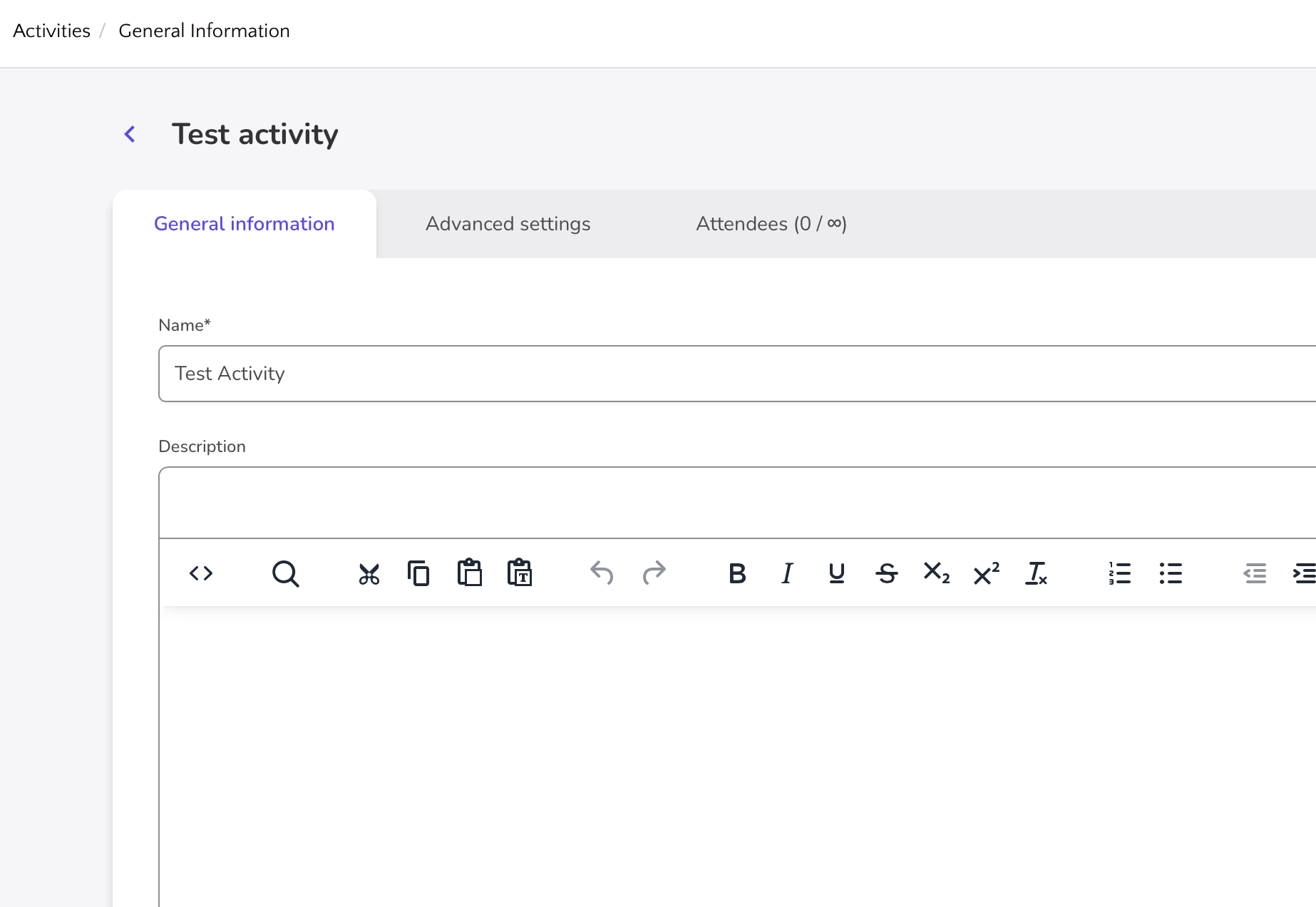
✨ Activities Module: UI & UX Refactor
We’ve deployed a major improvement to the Activities Module 🚀 — the entire UI and UX have been completely refactored for a much better experience. Everything feels cleaner, faster, and easier to use, with a more intuitive flow for creating, editing, and managing activities ✅.
You’ll notice smoother navigation, clearer actions, and a more modern layout that helps you get things done with fewer clicks ✨.
👉 Please note: This update is available only for new events. 🎉