
Eventtia Changelog
Eventtia first version release notes
🚀 Improved Event Site Indexing for Search Engines
We’ve rolled out a new feature to help your event sites get indexed more effectively by Google and other major search engines 🔎.
This improvement makes it easier for search engines to discover and understand your event pages, which can support better visibility in search results over time 📈.
No extra setup needed—your new events will automatically benefit from this enhancement ✅.
🛡️ Validation-Required Attendees: Payment Button Hidden
We’ve improved the registration flow for attendee types that require validation ✅. From now on, when a participant registers under an attendee type with the “requires validation” setting enabled, the payment button will not be displayed. This ensures participants cannot pay until their participation has been confirmed, making the process clearer and avoiding unnecessary payments 💡.
🔐 New Captcha for Backend Login
We’ve replaced Google reCAPTCHA with a brand-new captcha mechanism 🎉. The new version is simpler, more transparent, and much less intrusive, giving you a smoother experience when logging into Eventtia’s backend 🚀. Security remains strong, but now you’ll spend less time dealing with extra steps and more time focusing on your events! ✨
🔍 New Search by Birthdate in Attendees Index
We’ve added a brand-new search field to the Attendees Index page! 🎉 Now, in addition to names and other details, you can search attendees by their birthdate.
This makes it easier to filter, find, and organize participants with greater precision 🗓️.
Another step towards making attendee management smoother and faster for you! 🚀
🎨 Refresh on Activities UI
We’ve given the Activities Module a complete makeover! 🚀 This fresh redesign makes it easier than ever to create, edit, and manage activities at your events. With a smoother flow, faster performance, and a cleaner look, you’ll save time and enjoy a more intuitive experience ✨.
👉 Please note: This update applies only to new events.
New Event Editor Interface 🎉🖥️
Creating and editing events just got an upgrade! We’ve launched a brand-new interface that’s smoother, faster, and more consistent across the platform.
Whether you’re starting from scratch or making edits, you’ll enjoy a cleaner layout and a more seamless experience. 🛠️✨
Give it a try and build your events with ease! 🚀
🇬🇧 Smarter Exports, Smoother Experience 🚫📤📤
We’ve added a new safety feature: now, only one data export can be processed at a time per event.
Why? This helps avoid performance issues and ensures your export completes smoothly without delays or crashes. 🛡️💻
Your data exports just got more reliable—no more accidental overloads! ⚙️✨
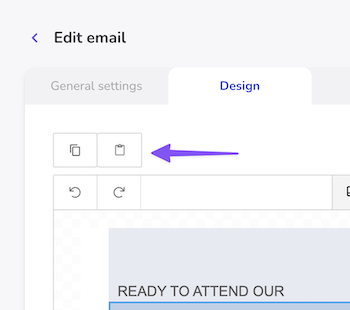
🇬🇧 Copy, Paste (in massive messages) Done! 🎨✨
Great news! You can now copy a design from one massive message and paste it into another event—no need to start from scratch anymore! 🙌
This new feature lets you reuse your favorite designs in just a few clicks, saving you time and keeping your branding consistent across events. 🗂️🖌️
Go ahead, give it a try and simplify your messaging workflow! 🚀
🇬🇧 New Look, Same Great Access! 🔐✨
We’ve refreshed the Login and Forgot Password screens to give you a smoother and more delightful experience! 🌟
Whether you’re logging in or recovering your password, you’ll now enjoy a cleaner, more modern interface that’s faster and easier to use.
We’re always working to make your Eventtia journey better—this is just one of many steps we’re taking! 🚀
🔄 New Feature: Real-Time Check-In Refresh! 📊
Great update for our on-site app! You can now refresh the attendee count at any activity or checkpoint with just a tap. Stay up-to-date with live attendance numbers as guests check in throughout your event. Perfect for keeping track of capacity and making real-time decisions! ⚡
